Rate it, leave a note, or both
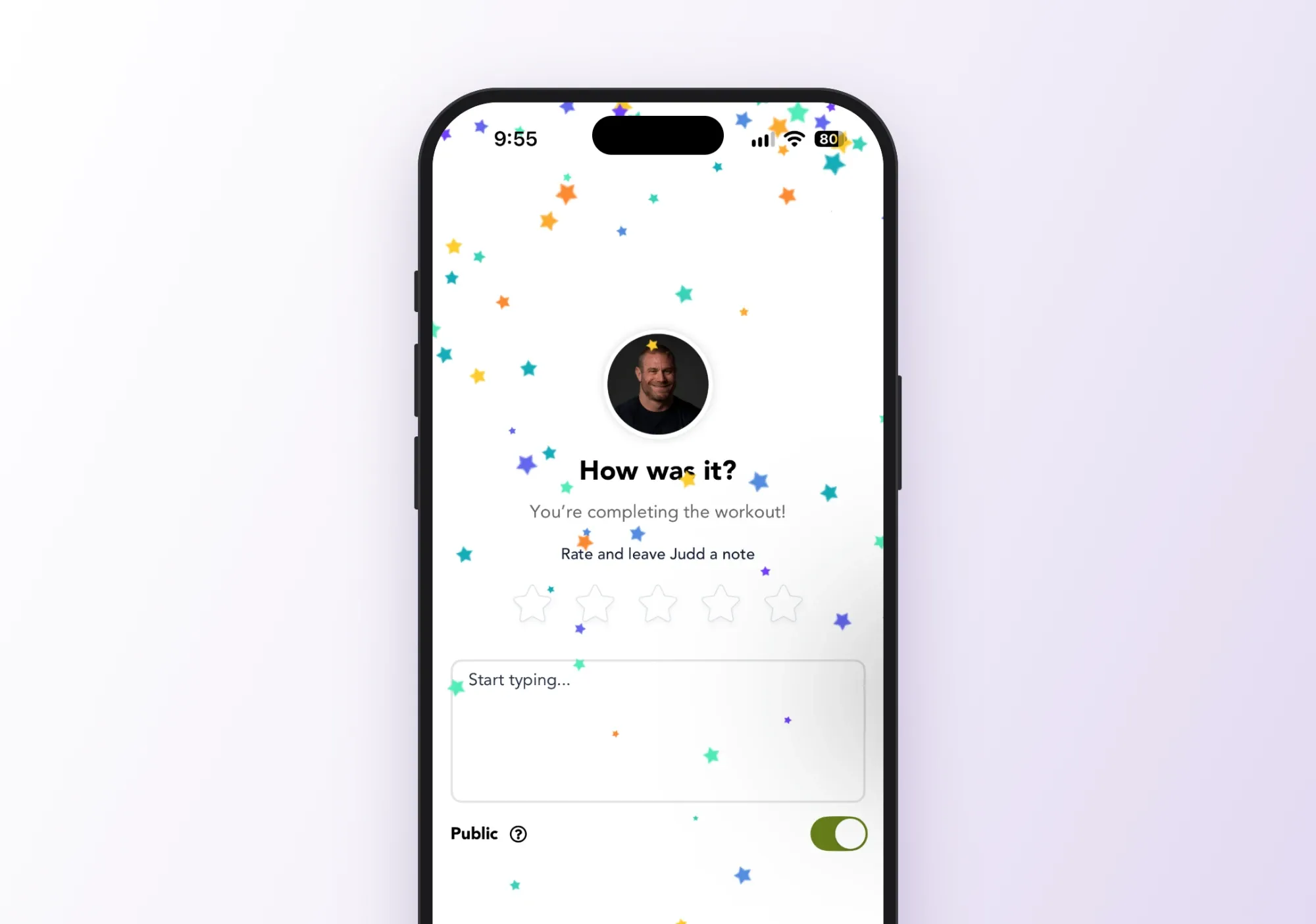
You can leave your creator a review after a workout without giving a star rating first.
- Stars and notes are now one step. Leave a rating, write a note, do both or skip it entirely!
New features and improvements landing in your app.
You can leave your creator a review after a workout without giving a star rating first.
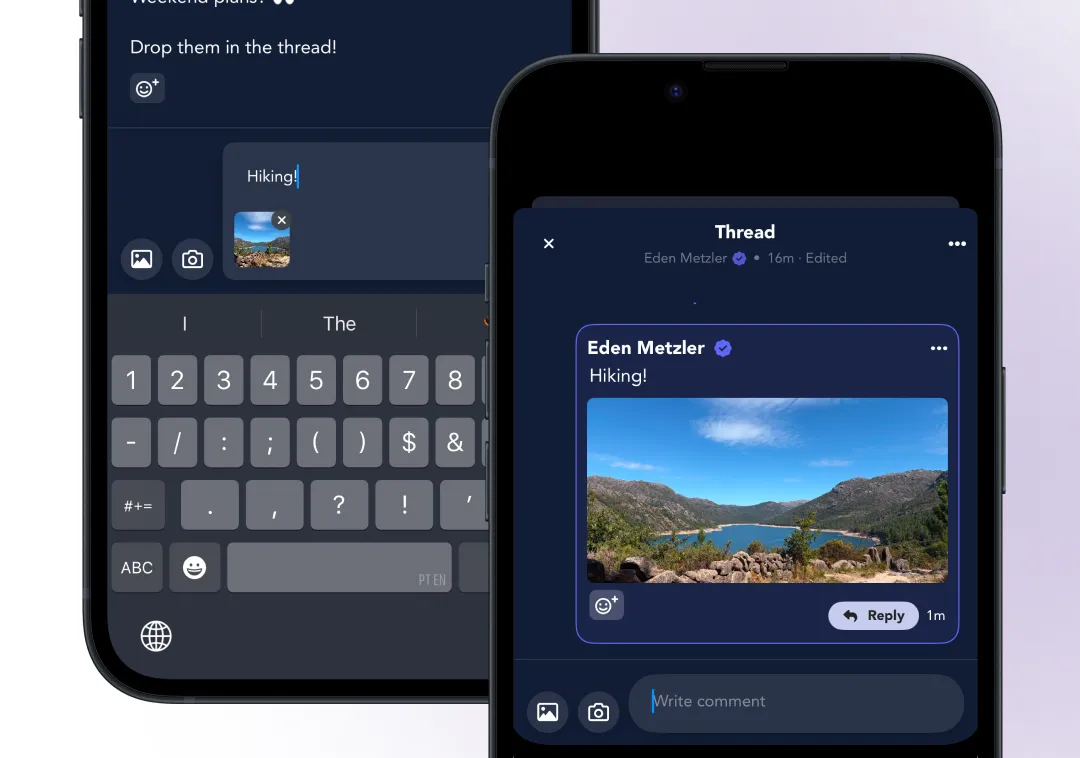
Two changes to the community: you can fix a post after you’ve published it, and you can add a photo when you reply to someone.
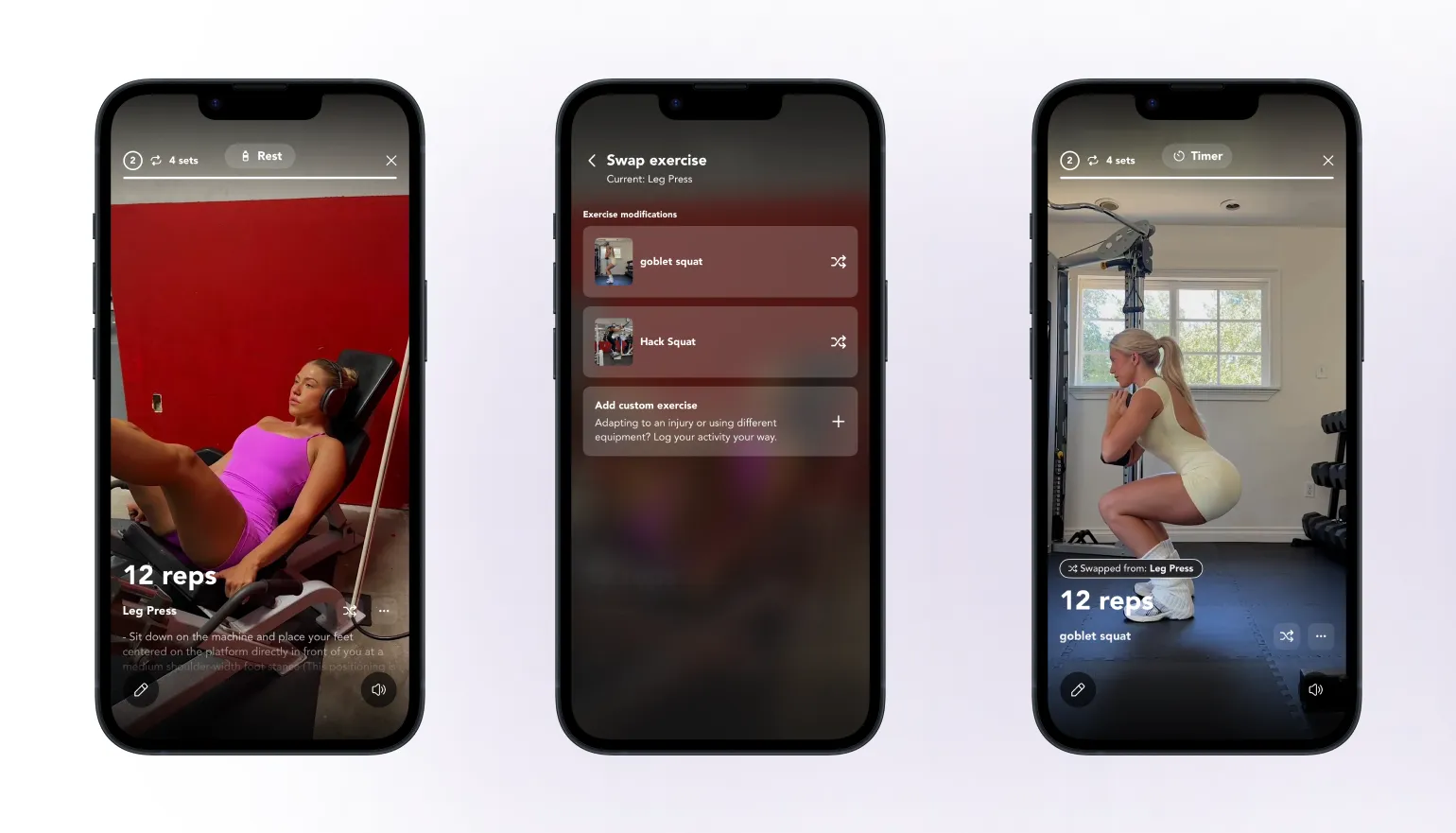
Training around an injury, or don’t have the equipment for what’s programmed? Tap the swap icon on an exercise and pick from a short list of alternatives, pulled from your creator’s own library.
This is only available for short-form workouts, not follow-along classes or timed workouts, and some exercise types like warm ups, mobility and recovery work don’t have it.
Sometimes our AI won’t provide suggestions, which happens when there’s low confidence on a good 1:1 swap.
Some exercises are meant to be done one side at a time, and now they say so. When a creator marks an exercise as unilateral, you’ll see ”/ side” on it, so you know the reps are per side rather than the total.
Notifications from the community use real names, so you know who’s behind a post or reply before you open the app. No more guessing who “someone” is.
We’ve added a “Cast” button right on the class screen, so you can get set up before the workout starts. Pick the device you want to cast to first, and the class opens there straight away. No more start-and-stops or hunting for a hidden button.
How to use it: open any long-form class and tap “Cast”, then pick your preferred device.
The community is a richer place to connect with the creators you follow and the people training alongside you.
Try a creator’s content for free before you ever pay.
Watch long-form video from the creators you follow, right alongside their other content.
Get more from the creators you follow than just workouts.
Follow running as part of a workout, or take on a session that’s all running.