Retain
How to Run a Community That Keeps Members Paying

Eden Metzler
Five free offer formats that build your email list, the ManyChat play top creators run, landing page copy that converts, and the follow-up sequence.

You’ve spent years building a following. You post, you engage, you put real work in. But a following alone doesn’t pay your bills. Conversion does.
Your job is to move people, step by step: from follower → to free user → to paying subscriber → to higher-ticket buyer. Every creator on Playbook past six figures has done this, whether or not they call it that.
Two ideas anchor the rest of this guide:
Free Offers do two jobs: they build your email list, and they start the conversion to paid. The whole funnel sits inside Playbook (free offer → app download → nurture → paid offer → upsells). One platform. One experience. Everything tracked in one place.
A Free Offer is a $0 offer on Playbook. You create it like any other one-time purchase (OTP), toggle it to free, and publish. Your audience redeems by entering their email. No credit card. No checkout. Just an email and instant access.
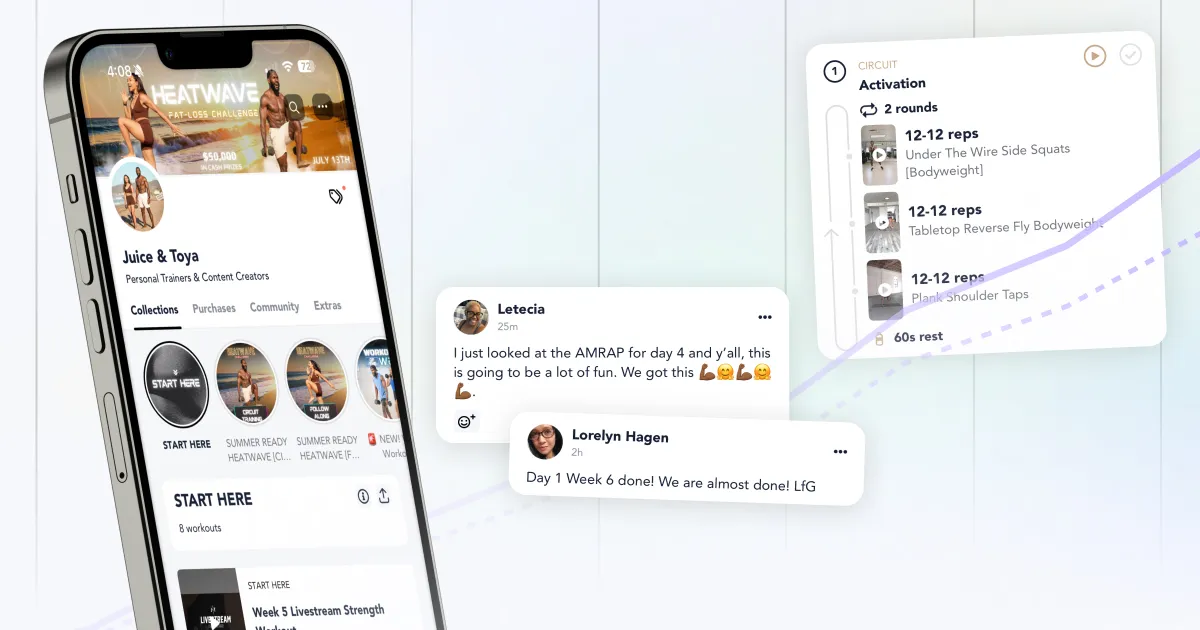
What you get:
What can go in a Free Offer: Programs (marked as OTP), Extras, Community access, DMs and access to your livestreams.
Pick one. Don’t overthink it.
1. A sample workout program. Pull 1-2 weeks from your full paid program. Let people experience your coaching, your programming, your voice. This is “try before you buy” and the most natural path to a paid conversion.
Best for: creators who already have a paid program and want to give people a taste.
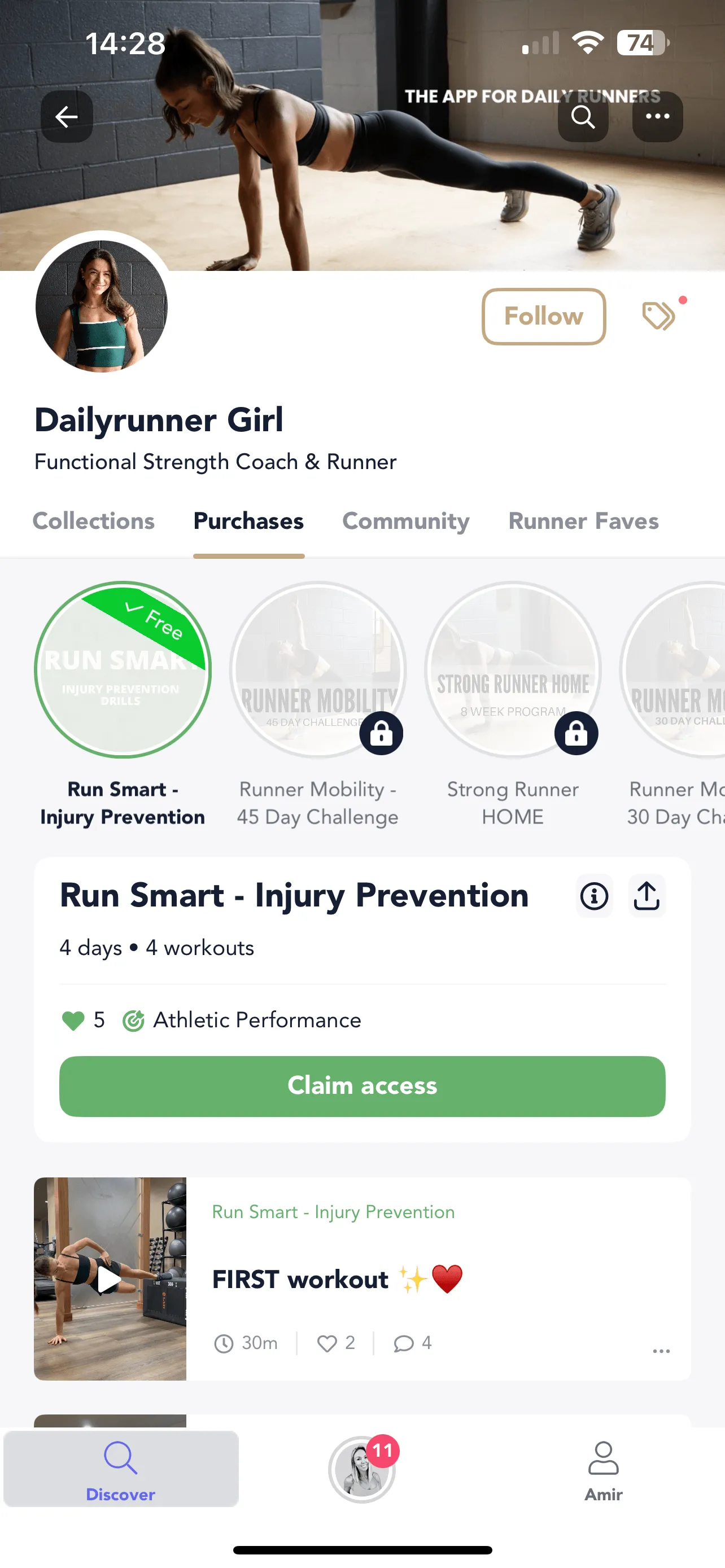
2. A downloadable PDF guide or Extra. A meal plan. A macro-friendly grocery list. A mobility checklist. A beginner’s guide to your training style. This can live as a PDF download or as an in-app Extra — the value is the same: a fast, specific win your audience can use immediately.
Best for: creators who want a quick win with minimal production effort.
3. Community access. Open your Community to free users so they can see the vibe and the conversations. They can browse, but they’ll want to participate. That pull is the path to your paid offer.
Best for: creators whose community is the product.
4. A challenge teaser. The first 3 days of your 30-day challenge. Or a standalone mini-challenge (5-day abs, 7-day mobility). Challenges create urgency and habit.
Best for: creators launching or promoting a challenge.
If you’re stuck: start with #2, a PDF guide. Fastest to create. Easiest to promote. You can have it live this week.
Once published, you can’t convert a Free Offer to paid (or vice versa). To switch, archive the current offer, duplicate it, set the new price, and publish. Previous redeemers keep their access.
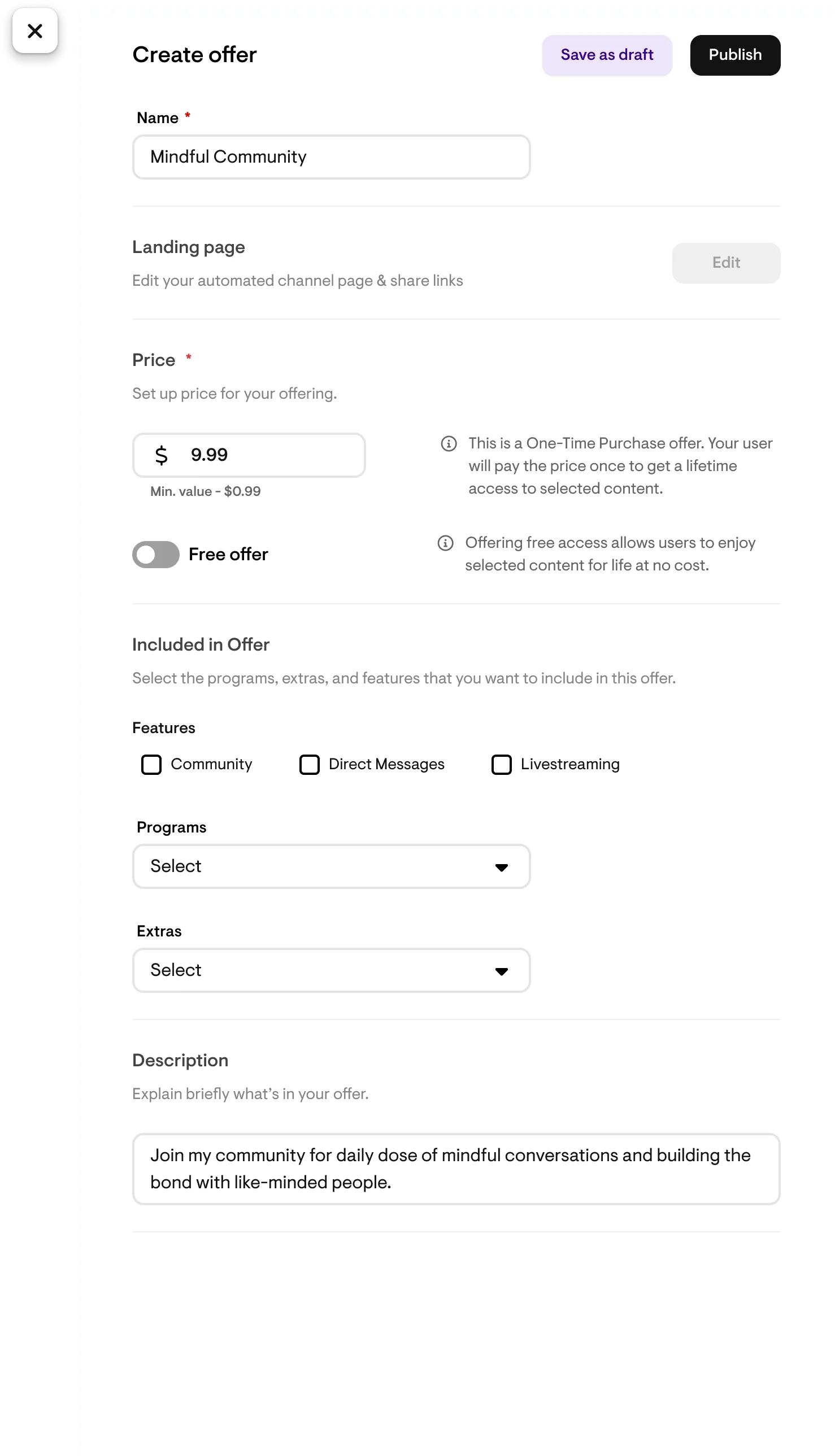
Free Offers come with both a redeem page and a landing page.
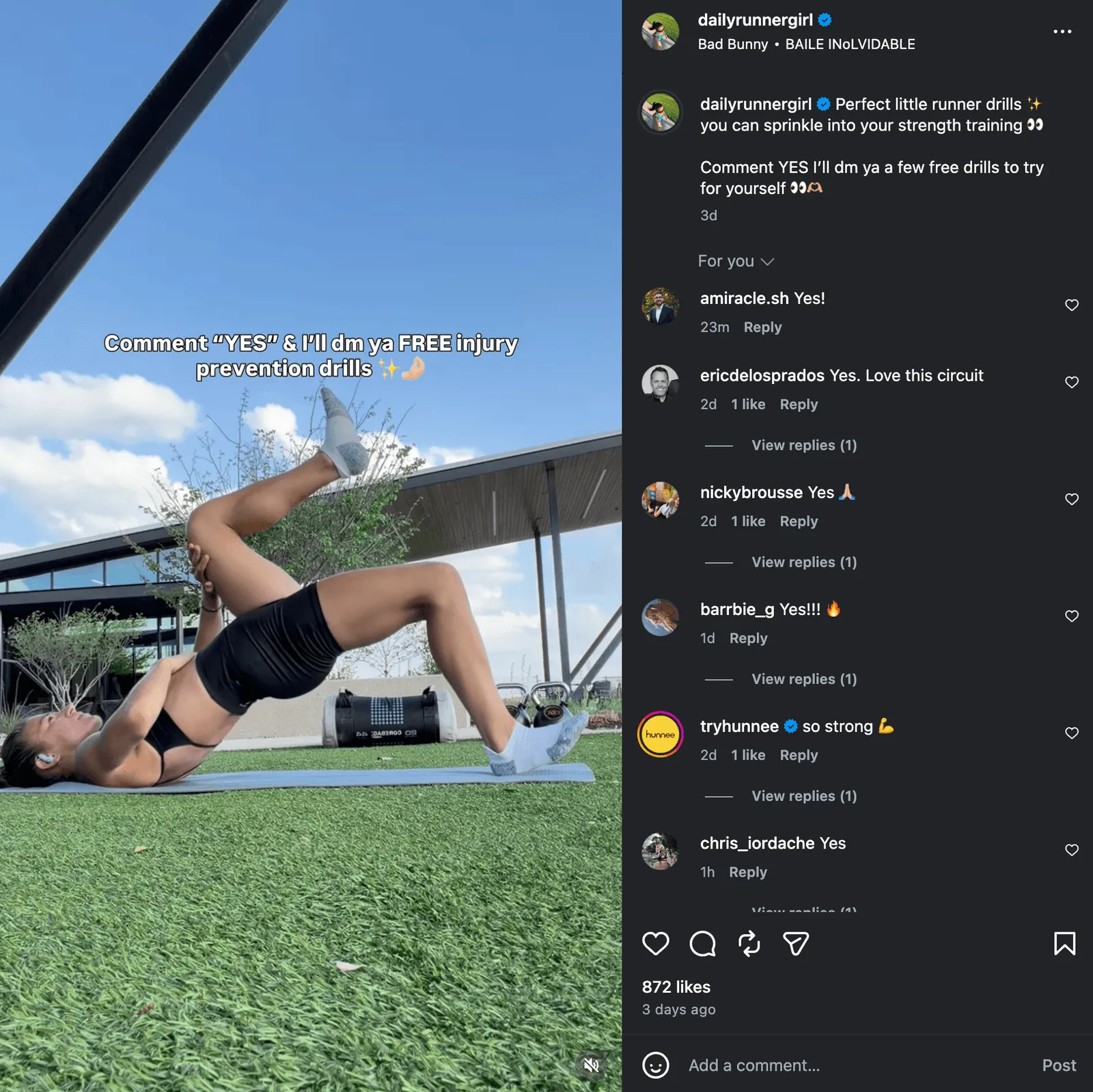
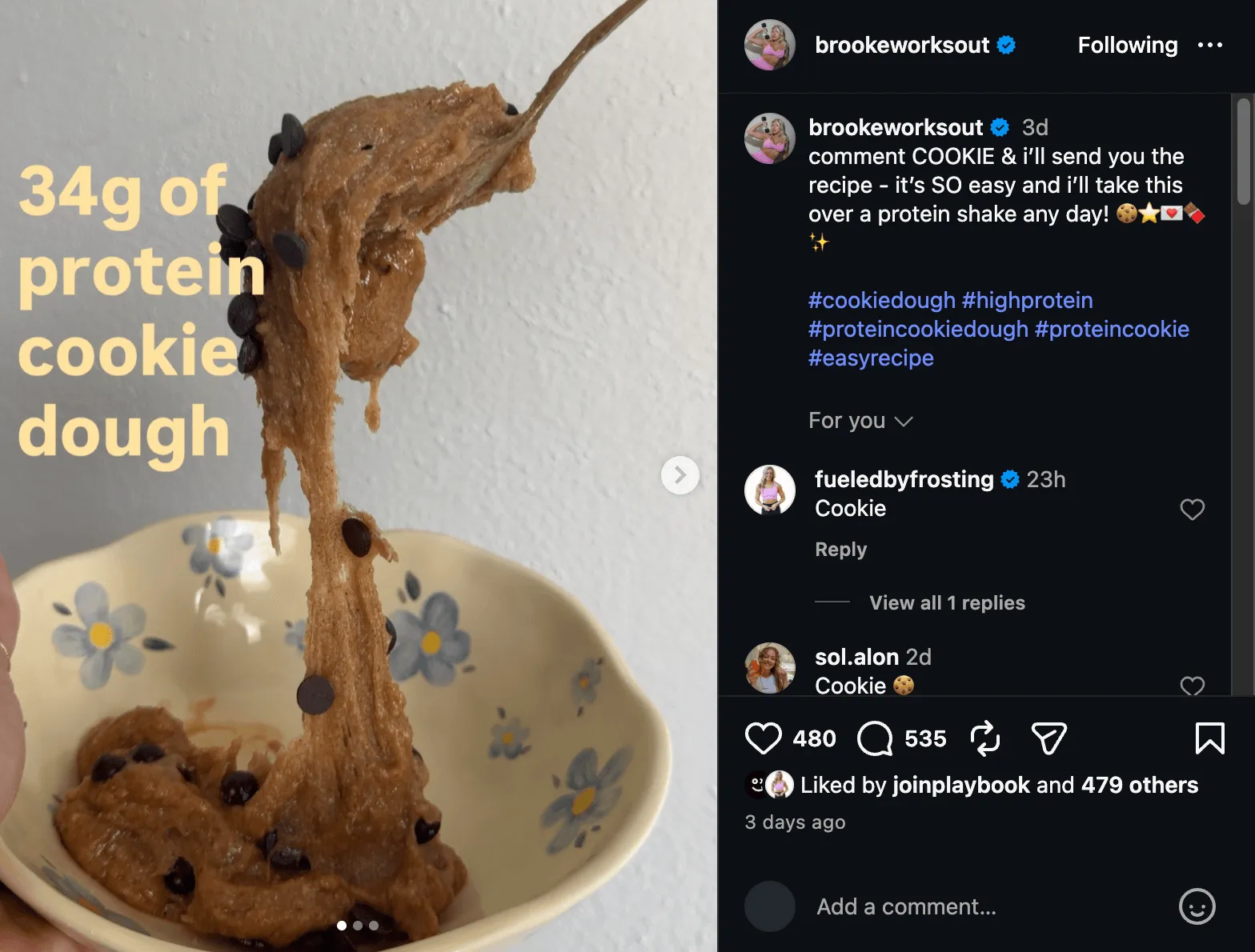
Use the redeem page when intent is already there. The audience just told you they want it. They commented “YES” on your Reel. They tapped your Story poll. They replied to your DM. The decision is already made. They don’t need to be persuaded; they need a frictionless path to the email field. The redeem page link drops them straight to the email entry, skipping the landing page entirely.
Use the landing page when intent needs to be created or amplified. A new follower scrolling your grid. Someone clicking your bio link cold. A reader who saw your Reel but didn’t act. They’re curious, not committed. The landing page does the convincing: explains what they’re getting, who it’s for, why it’s worth the email.
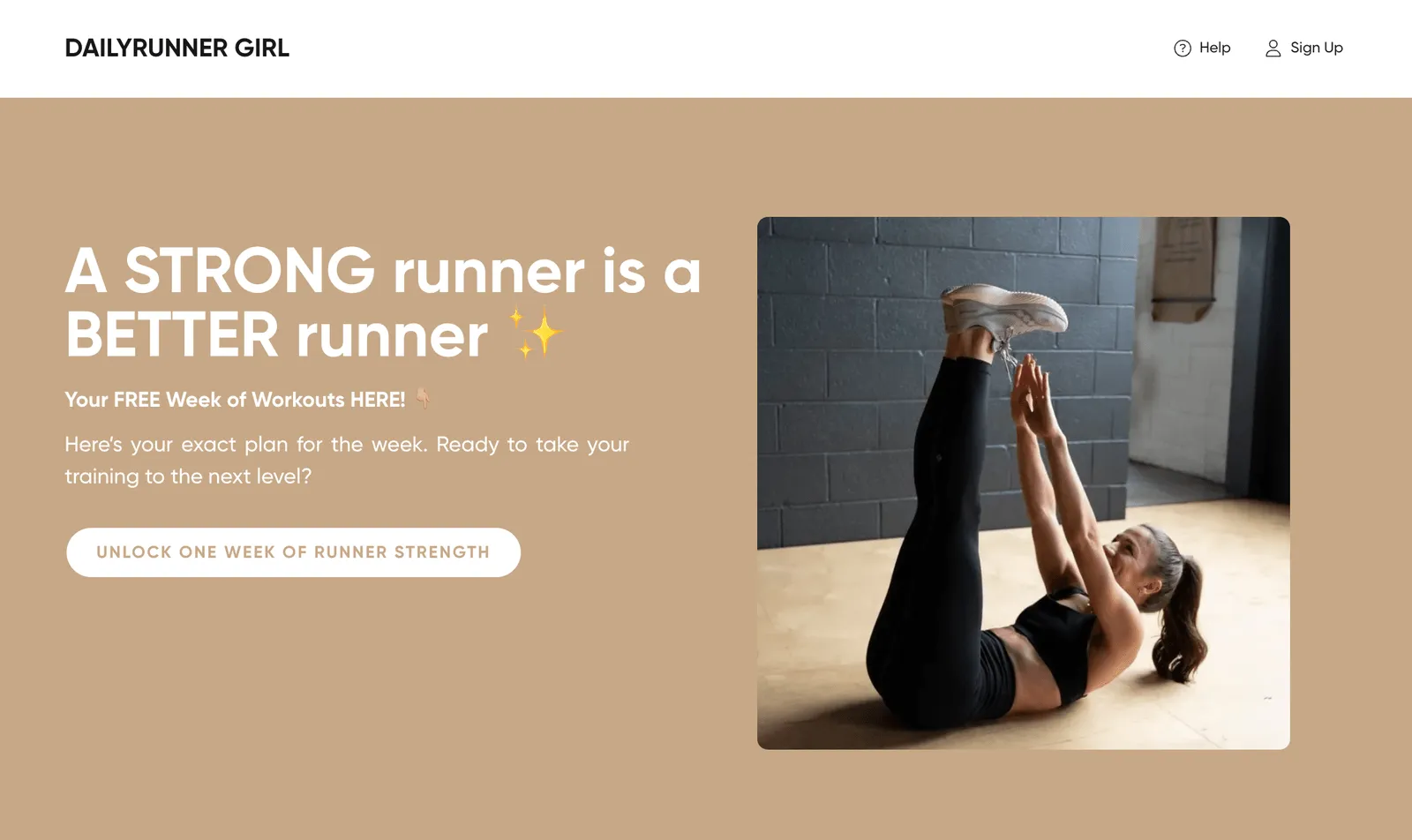
The simple test:
Most creators use both. Redeem link for high-intent traffic (DM replies, ManyChat triggers, Story polls). Landing page for everything else (Instagram bio link, link in podcast description, post captions).
This is the highest-leverage Free Offer tactic on Instagram right now.
Why it works: every step is high-intent. They commented because they wanted it. They got the DM because they triggered it. They tapped the link because your content already sold them. No landing page friction — the content was the landing page.
When you do use the landing page (cold traffic, bio link, broader promotion), every word earns its spot.
"Your Free [Timeframe] [Program Type] ([Key Detail])"
→ Your Free 5-Day Core Challenge (No Equipment Needed)

"The [Adjective] [Resource] for [Specific Audience]"
→ The Complete Macro Guide for Busy Moms

"[Number] [Things] to [Outcome] in [Timeframe]"
→ 7 Pilates Flows to Improve Your Flexibility This Week

"Free: [What They Get] + [Bonus Detail]"
→ Free: 4-Week Beginner Strength Plan + Exercise Video Library

"[Outcome] Starts Here"
→ Stronger Glutes Start Here (Free 7-Day Program)
Specificity beats cleverness. Personality comes through in your content. The landing page headline’s job is to be clear.
| Do | Don’t |
|---|---|
| Lead with the reward (“Your Free 7-Day Glute Program”) | Lead with the action (“Enter your email to get the program”) |
| Be specific (5 workouts, 20 min, no equipment) | Be vague (“a free fitness resource”) |
| Name the audience (“for beginners who want structure”) | Try to speak to everyone |
| One CTA, one ask | Multiple links, offers, distractions |
| Show the content (mockup, preview) | Use only a stock photo or your headshot |
| Keep total copy under 150 words | Wall of text |
One thing to avoid: don’t give everything away on the landing page. The page sells the idea of the offer and the outcome. The offer delivers the value. If you explain every detail on the page, there’s no reason to redeem.
Creating it is the easy part. Getting people to it is the work. Most creators promote a free offer once or twice, feel like they’ve said it enough, and stop. Repetition isn’t annoying. It’s necessary.
Same offer, same CTA. Change the lens.
| Angle | Example |
|---|---|
| The Result | ”Want to feel stronger in 7 days? Comment STRONG and I’ll DM you my free starter plan.” |
| The Problem | ”Tired of random workouts that go nowhere? I built a free plan that fixes that.” |
| The Proof | ”200 people grabbed this free plan last week. Here’s what they’re saying…” |
| The Simplicity | ”5 days. 20 minutes. No equipment. Comment YES, I’ll DM the link.” |
| The Identity | ”If you’re a beginner who just wants someone to tell you exactly what to do, this is for you.” |
Rotate these across posts, Stories, and Reels. Same offer. Never sounds like a broken record.
The email is step one. What you do next determines whether they become a paying subscriber or forget about you by Thursday.
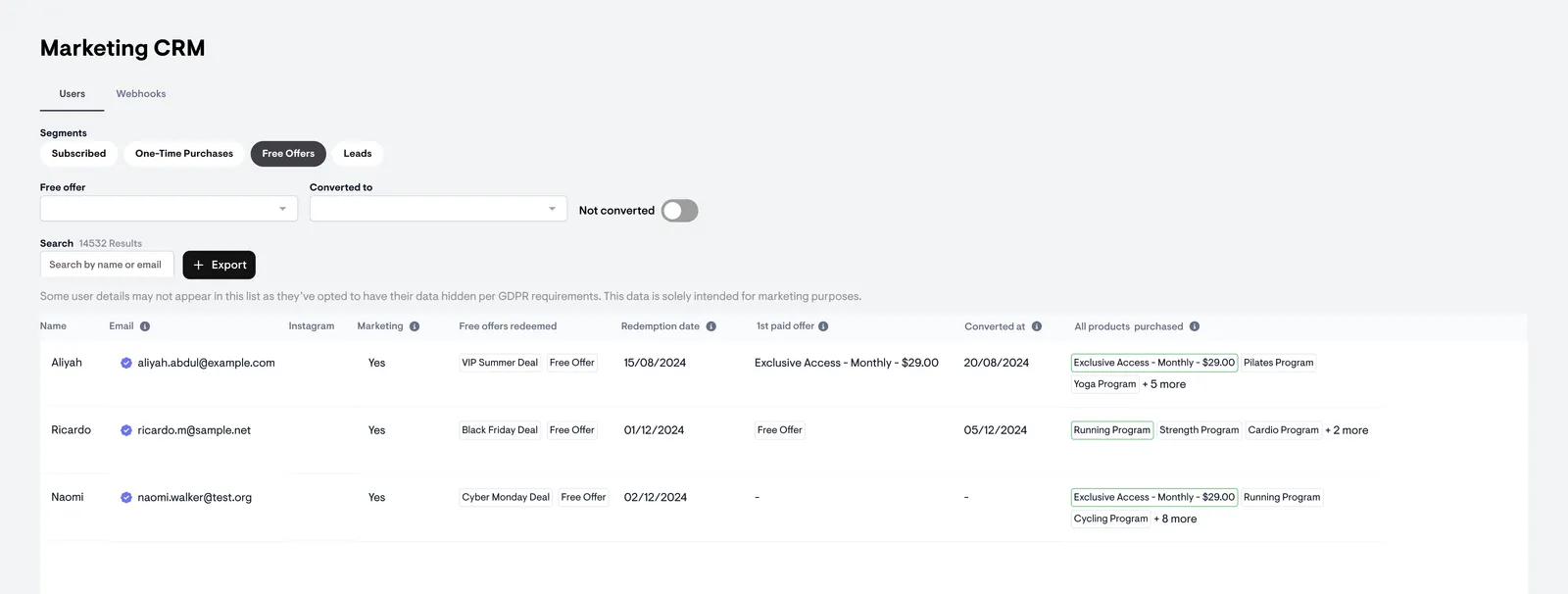
Filter by specific Free Offer in your Audience tab. See who redeemed, what they bought, when they converted. Use this to understand what’s working and where people drop off.
Create a PDF guide (your best content, repackaged). Promote it on Instagram for 2 weeks before your paid launch using the ManyChat + redeem link play. Everyone who redeems gets your expertise, builds trust, and downloads the Playbook app. On launch day, email that list with your paid offer. They already know you. They already have the app. The conversion is warm.
Pull out 3-5 days of your best program and package it as a free teaser. Promote it on Reels with comment automation (“Comment START and I’ll DM you the link”). Anyone who redeems gets a taste of your coaching, your programming, the app experience. After 5 days, your nurture sequence bridges them to the full program. Once people experience the product, the decision to buy becomes obvious.
Build a free 5-day challenge as your Free Offer. Promote it for 2-3 weeks before your main paid offer goes live. Everyone who redeems experiences your coaching style, gets a real result in 5 days, and lands in your app right before launch. The challenge does three jobs at once: it builds your list, it proves your method works, and it shifts your audience from passive to active right when you need them. On Day 6, the email goes out: “Loved the challenge? Here’s the full program.”
Start today. Especially if you don’t feel ready. Fear of failure kills fitness businesses before they even start. Sign-up’s quick and easy. You don’t pay a cent till you make a sale.