Launch
How to sell fitness programs online: what to offer and how to sell it every week

Jaimie Chapman
Creating a fitness app takes weeks, not months. What to have ready, the five steps from decision to launch, and what to do once people can pay.
If you’re a fitness creator working out how to create a fitness app, start with where the time goes. On a fitness app platform, launching yours takes weeks, not months, because the software is the quick part. Your time goes to three jobs only you can do. You decide what you’ll sell, you film it, and you tell people about it. How fast you launch comes down to how fast those three get done.
By launch, we mean the day people can pay you, not the day your app first goes live. Everything below works back from that day.
You can launch once three things are true:
The offer we recommend most is a subscription with new workouts every week, sold monthly and annually, with a free trial in front of both. If you think in programs (a six-week strength block, an eight-class pilates series), you can still do this. Release the program a week at a time, and your subscribers always have something new waiting. There’s more on choosing an offer in how to sell fitness programs online, and on trials in should you offer a free trial.
Then write the offer as one sentence. Fill in each part of this pattern for your own audience.
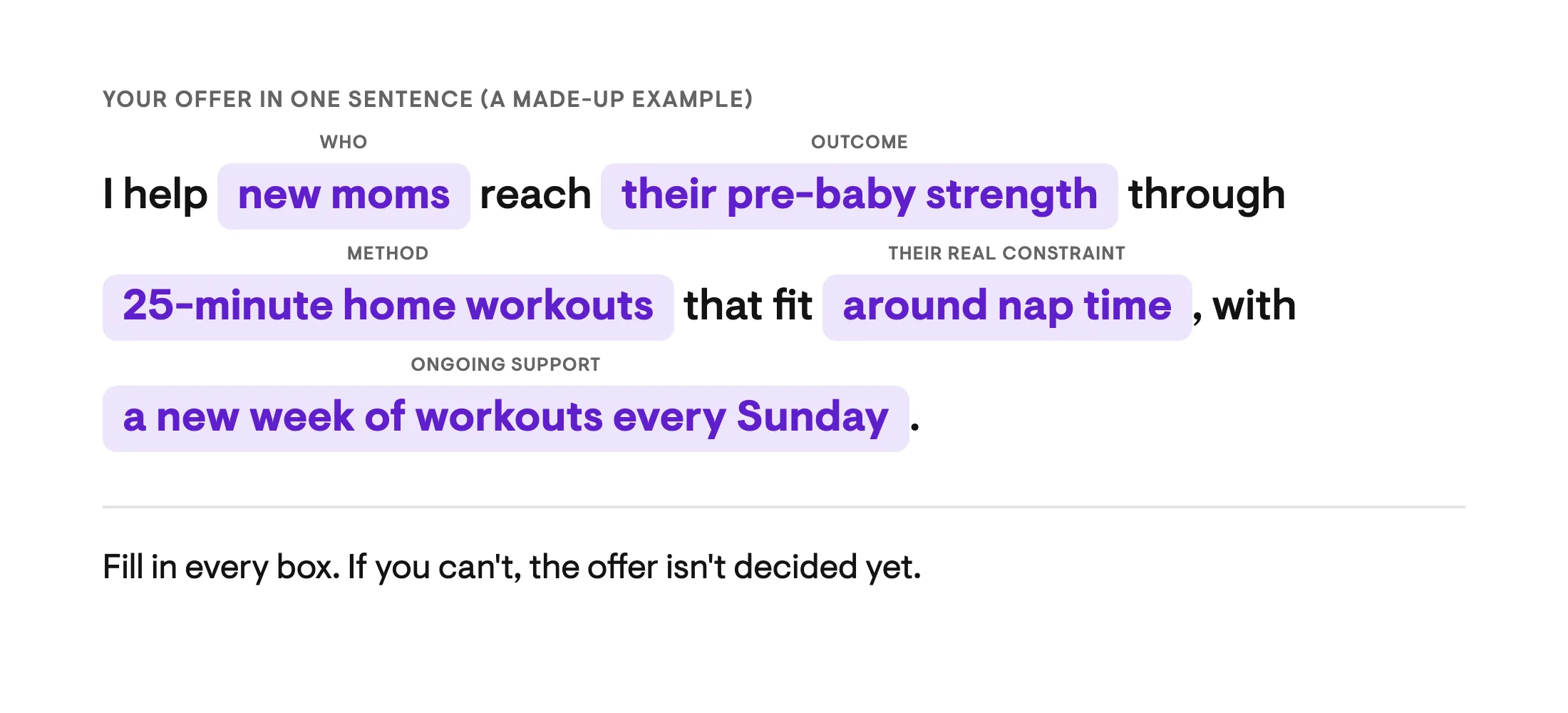
Decide it once. Changing the offer halfway through is one of the surest ways to push your launch date back, because every change means filming or building something again.
Start with a Start Here section. At minimum, that’s a welcome video where you say who you are, how you coach, and what people can expect. Add a short intro to the app (under a minute), since that’s the first thing a new subscriber sees.
After that, film your first few weeks of workouts or classes. Not the whole library. The goal is that someone who joins on launch day knows where to start and finishes a first workout in their first week.
You want a waitlist that’s been open for a few weeks before you launch, and your launch posts and emails ready to go.
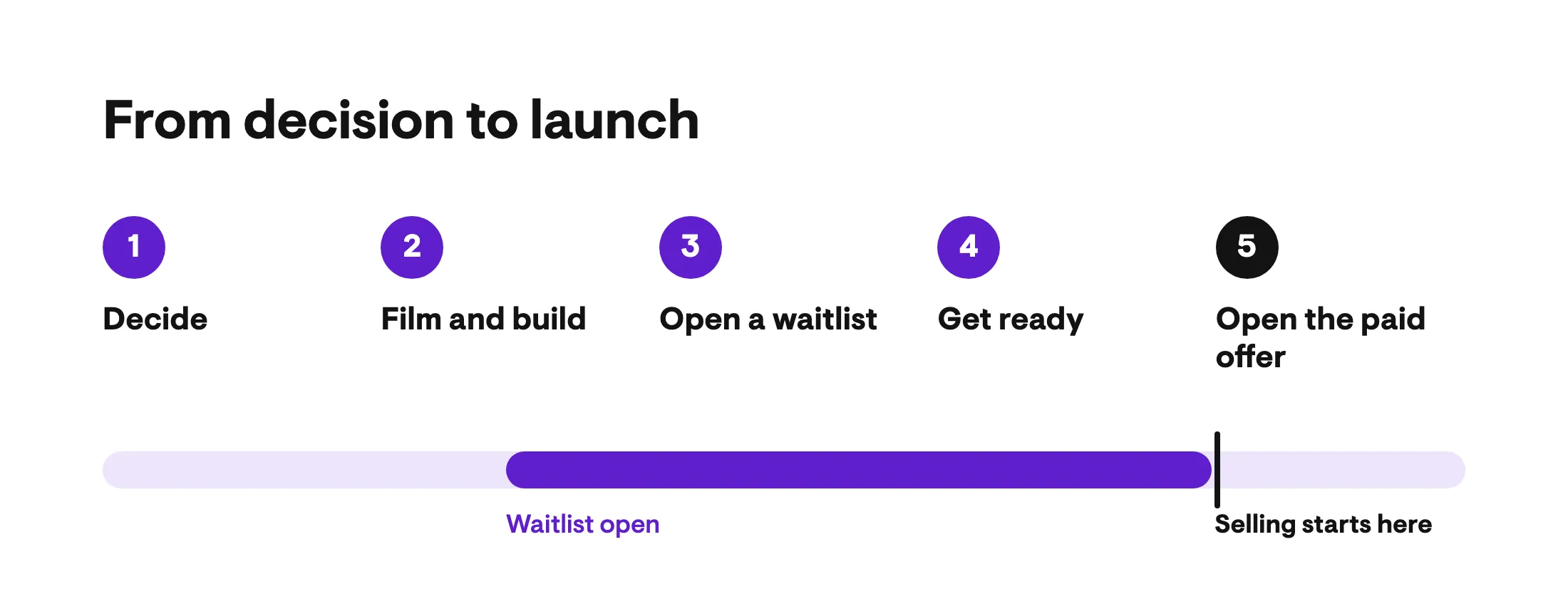
Pick one offer, say it in one sentence, and get the dates in your calendar this week.
This step takes the longest, so start with the video your waitlist depends on.
While you build, let people watch. A few behind-the-scenes stories a week works well (you filming, your equipment, you building the program on your laptop). Ask poll questions about the offer, like “If I dropped new workouts every week, would you join?”
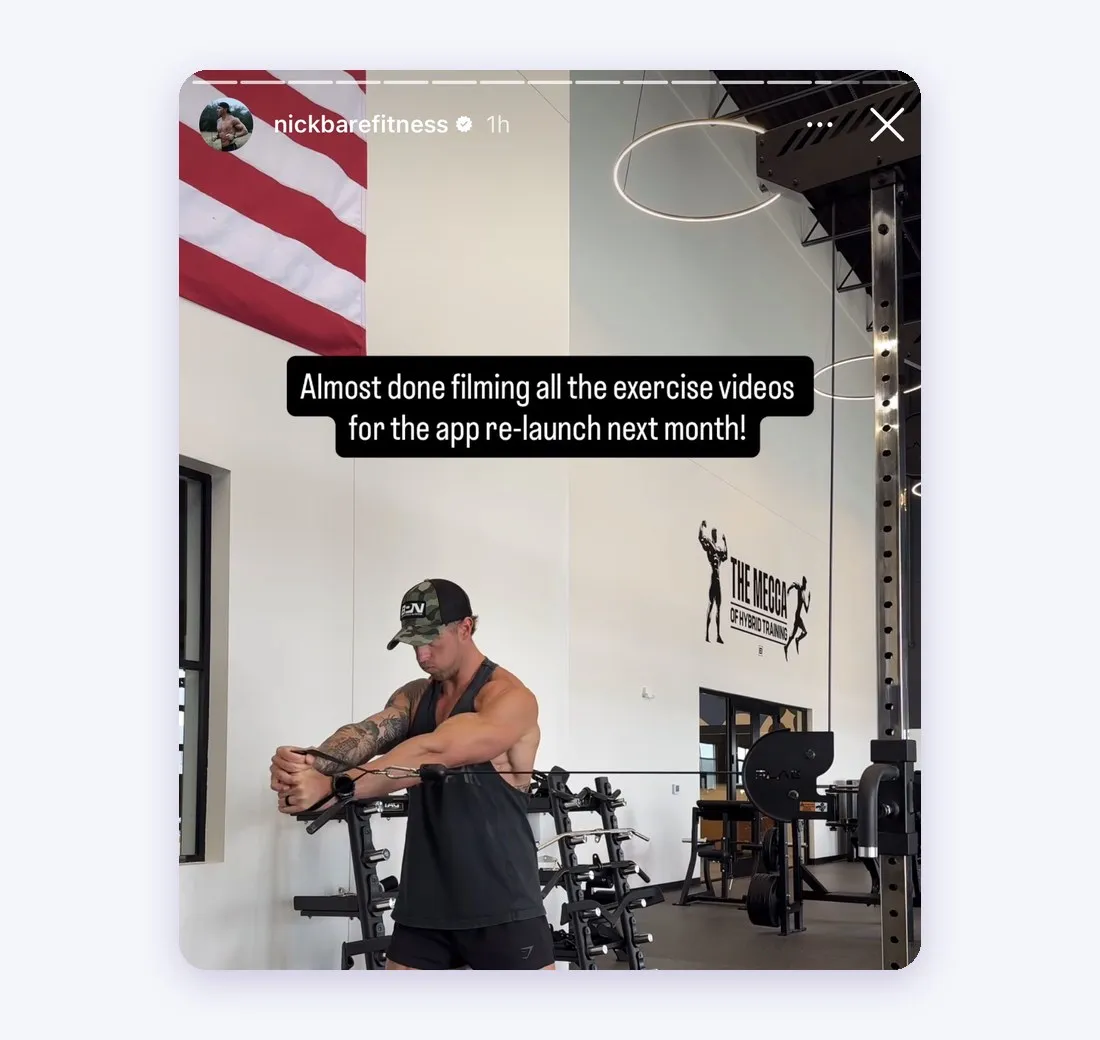
Keep your feed as your normal content and drop small teases into captions. Don’t sell yet. You’re building interest in something people can’t join.
This step looks the same for a strength coach developing a fitness app and a yoga teacher building a class library for their flow students.
As soon as your welcome video is filmed, give people something free to join, and start telling them about it.
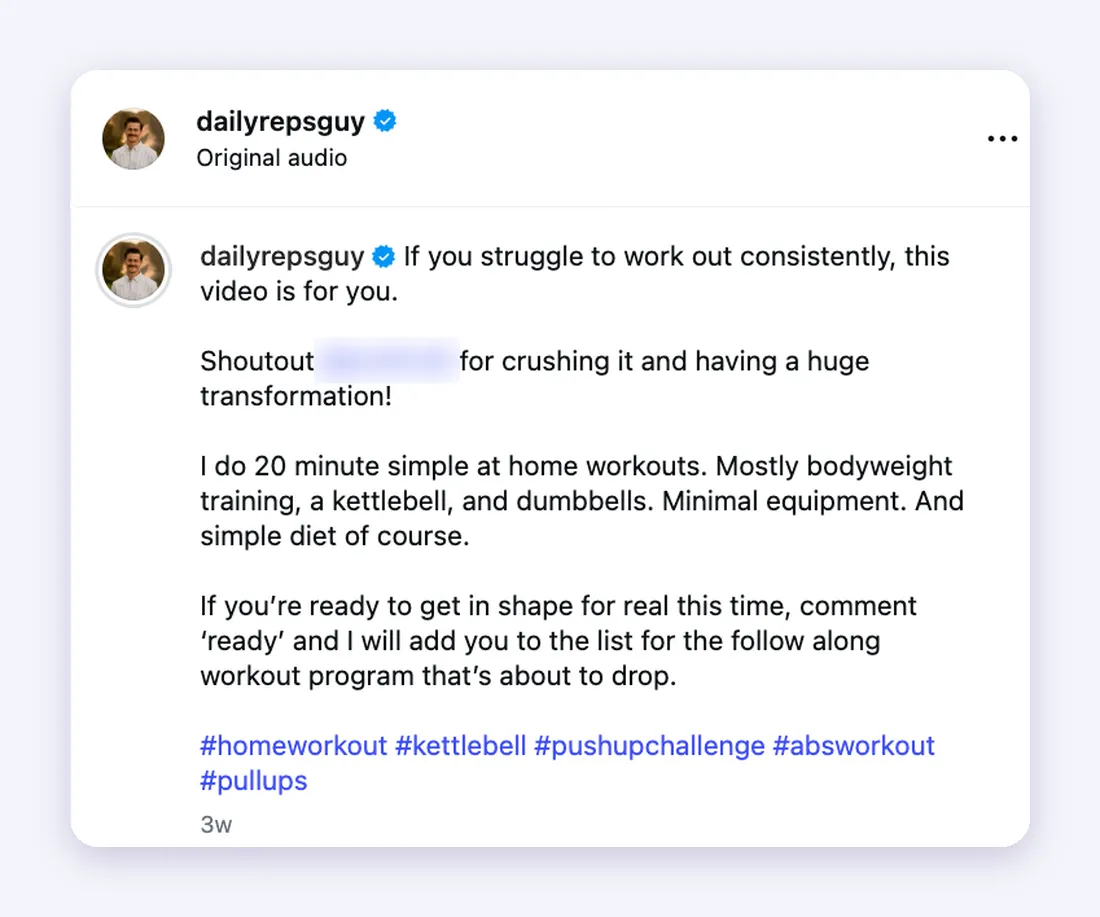
Test everything the way a subscriber will see it, and have launch day ready before it arrives.
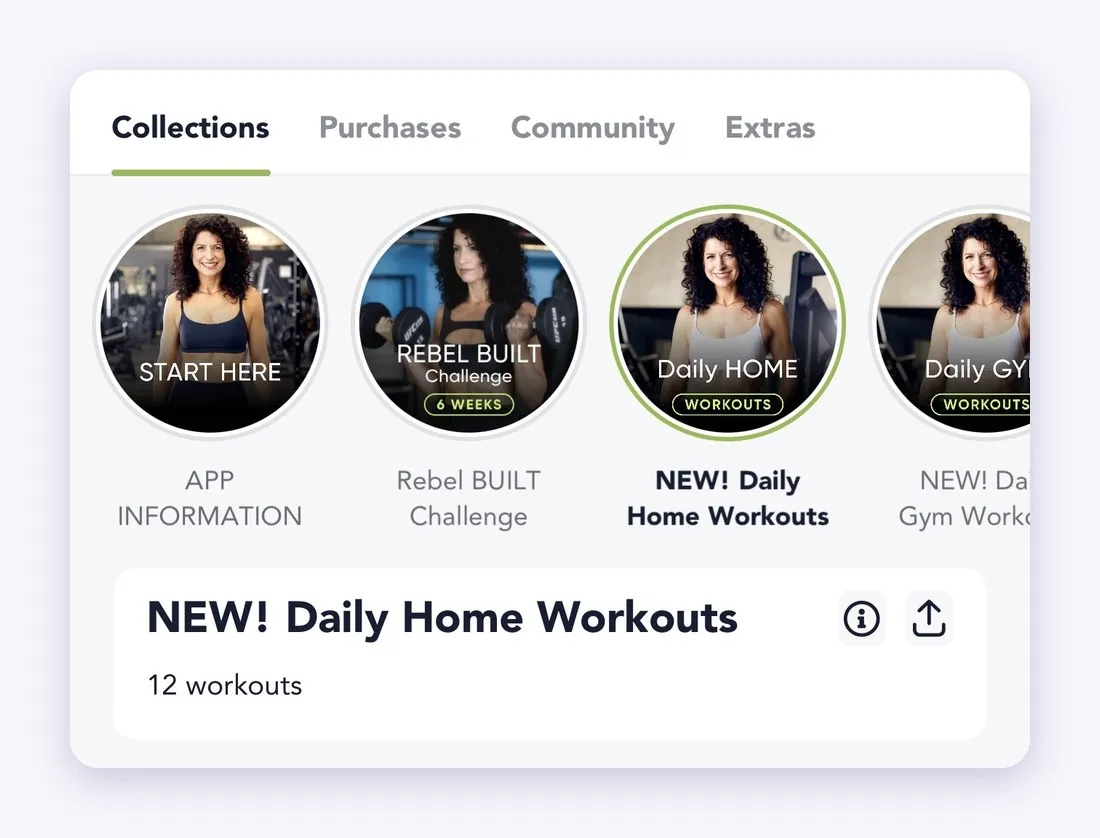
Launch day is the first day people can pay you, and the first day of selling. Selling carries on from here.
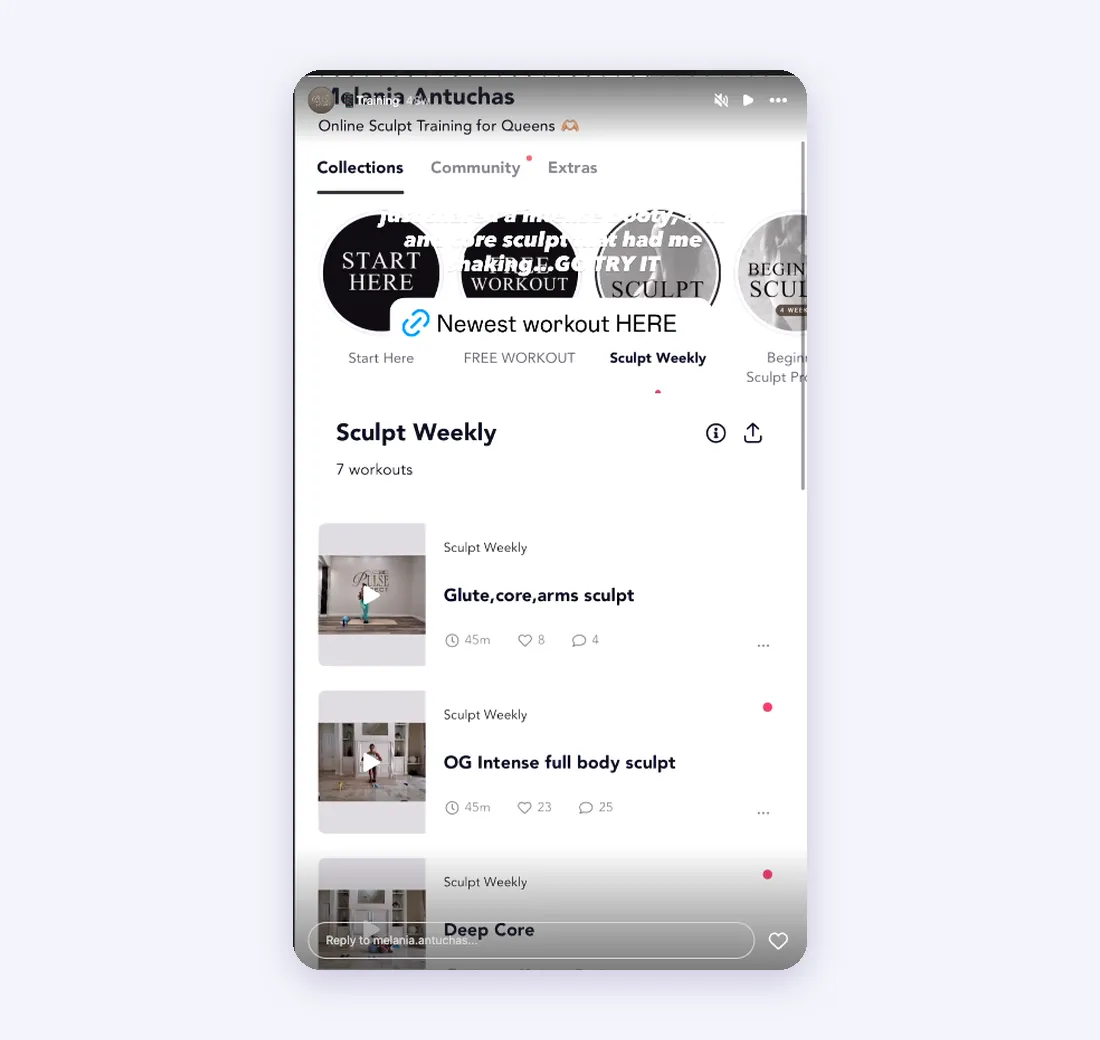
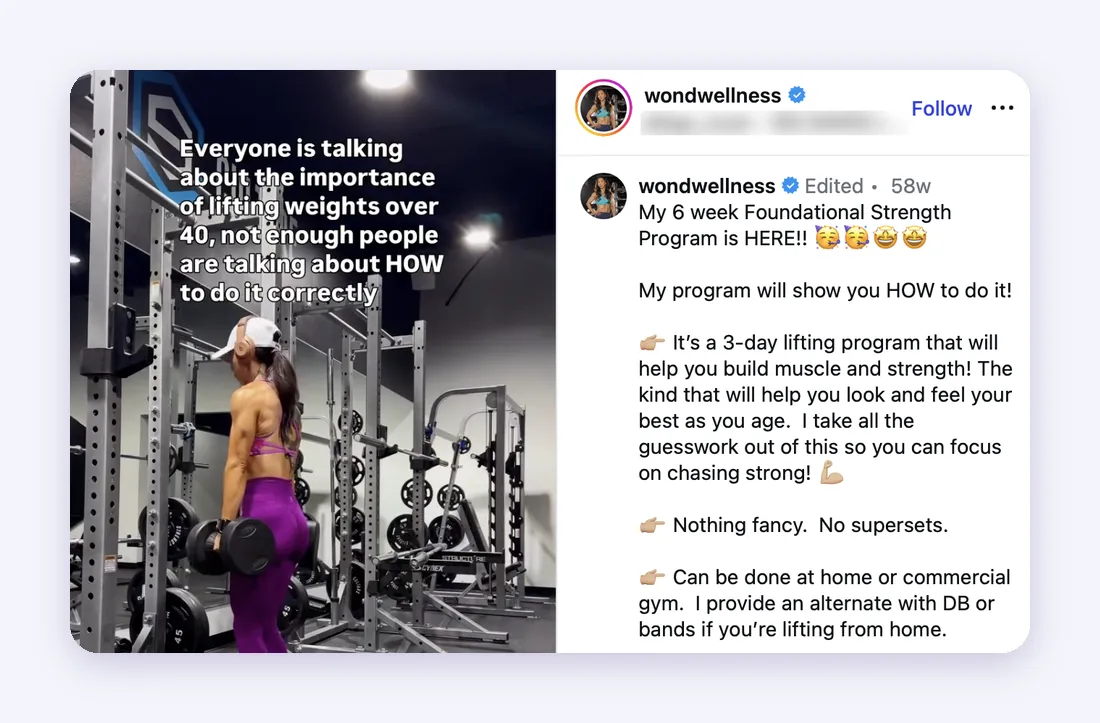
When a launch slips, it’s usually for one of these reasons, and both are easier to fix early than late.
That first one is the big one. Someone on our team who’s helped creators launch for five years tells them this on their kickoff call: “The one thing that is always going to be the biggest hurdle in order to launch, drum roll, please, is going to be to film your content.”
There’s a third, smaller one. Trying to launch everything at once. Nutrition, extra programs, and bonus content can all come after launch day, unless one of them is core to what you do.
What if your app looks bare on day one? Picture one new subscriber. What do they need in their first week, and in their first program? Build that, and plan the rest for later. A short, clear first week does more for them than a big library with no obvious first step.
And if you’re worried you can’t make new workouts every week, pick a schedule you can keep. Film in batches, and say the schedule in your Start Here video, so people know when to expect the next drop.
If you can’t film a few weeks of workouts yet, launch a challenge or a one-time program first. The five steps stay the same. There’s less to film and one thing to sell.
Then offer your subscription to the people who finish. Playbook’s one-time buyer to subscriber automation invites anyone who buys a one-off program to join it. You’ll find more on this route in how to sell fitness programs online.
Personal trainers, coaches, and fitness instructors (yoga and pilates teachers included) sometimes ask whether they should build their own fitness app from scratch instead. This is how the two compare.
| On a fitness app platform | Building it yourself | |
|---|---|---|
| Time to your first sale | Weeks | Five to eight months for a polished app on iPhone and Android, according to Attract Group’s 2026 fitness app cost guide |
| Cost to build | Free to start. No credit card. No monthly fee. | $80,000 to $180,000 for an app with subscription billing, plus $15,000 to $35,000 for on-demand video (same guide) |
| Cost every year after | Nothing upfront. You keep 80% of what you earn. | 15% to 25% of the build cost in maintenance (same guide), plus hosting and video streaming that grow with your audience |
| Who builds and maintains the app | The platform | You, or a development team you pay |
| Where your time goes | Your offer, your filming, and your promotion | Specs, testing, and app store review, on top of your offer, filming, and promotion |
So how much does it cost to build a fitness app yourself? Most of the money goes on video, payments, and keeping the app working after every phone update, and the bill keeps coming after launch.
A custom fitness app (or personal trainer app development through an agency) makes sense for some businesses, usually ones that already earn enough to pay a development team for months before the first sale. For most creators, the faster and better route is to sell first and decide about owning the software later. You find out what your audience will pay for before you’ve spent a dollar on development.
Most creators see their first subscriber within week one of going live. The work in those first two weeks is to keep selling and keep showing up.
On your stories in the days after launch, try:
Your feed posts stay value first, with a next step that points to the app.
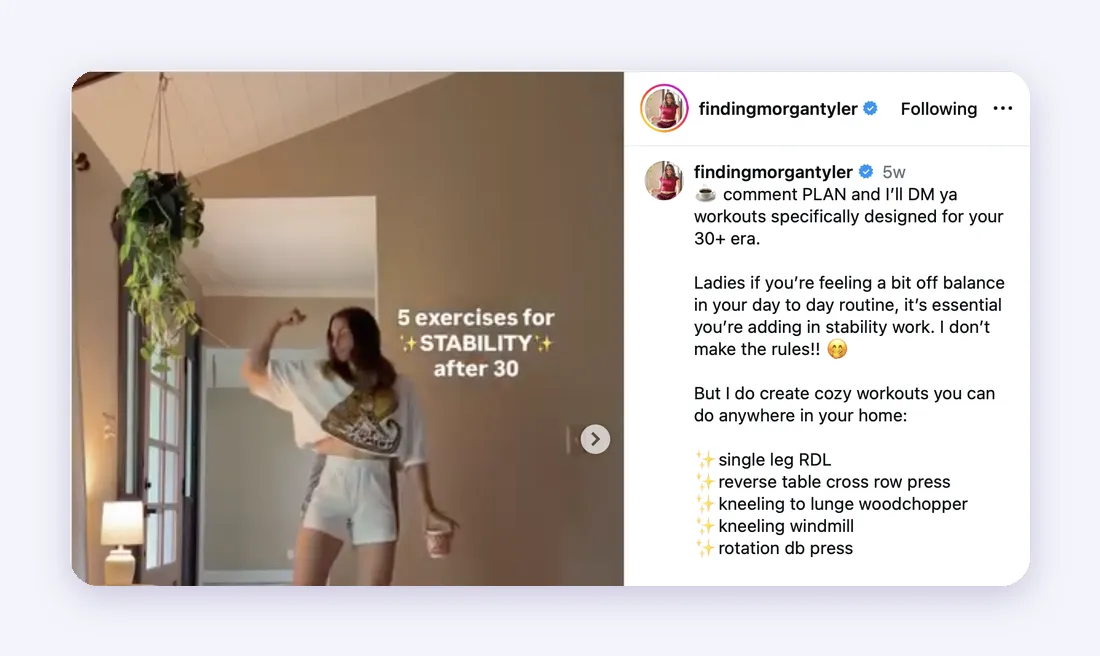
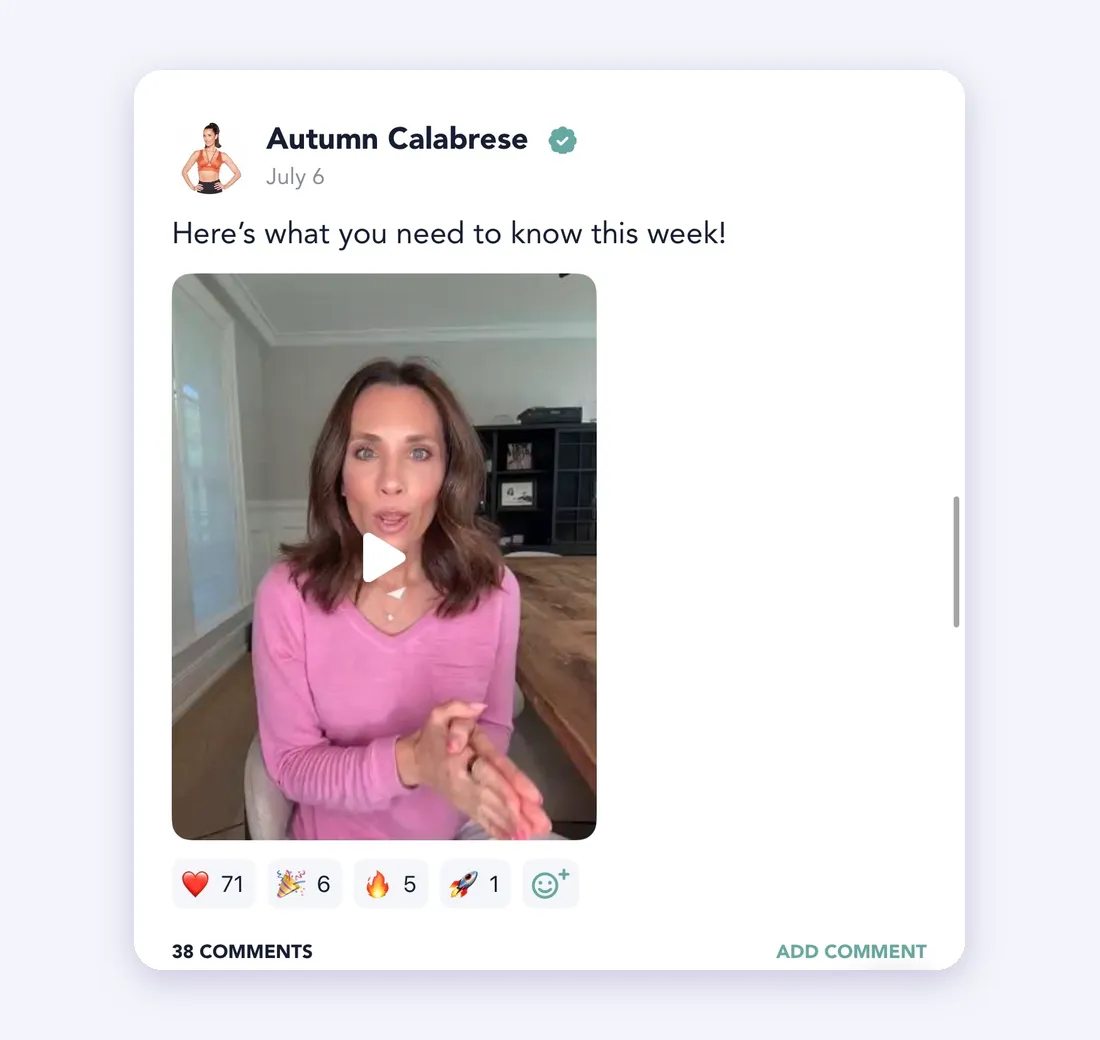
In the app, post once a week to set up the week ahead. Say what’s in this week’s workouts, the one thing to focus on, and one question for people to answer. Reply to posts, react to them, and call out member wins by name. (People notice when you do.) For the weekly rhythm, see how to run a community that keeps subscribers paying.
At the two-week mark, look at what brought people in and what didn’t, then plan the next month.
A subscription keeps paying as long as you keep adding to it. Pick a schedule for new content, say it in Start Here, and don’t miss it. If you send one email a week by hand, tie it to the new workouts.
Keep showing up in your community, too. From what we see, the creators who’ve put in that work spend most of their ongoing energy on social media and promotion, which is where new subscribers come from.
If you’d like somewhere to build it, Playbook is a fitness app built to turn your followers into subscribers and keep them. It’s free to start, and you keep 80% of what you earn. Playbook also has a team of fitness business experts that helps creators launch and grow.

Start today. Especially if you don’t feel ready. Fear of failure kills fitness businesses before they even start. Sign-up’s quick and easy. You don’t pay a cent till you make a sale.