Monetize
Your Best Black Friday Yet: 10 Lessons for Fitness Creators

Eden Metzler
Automations, Exercise Modifications, casting, and community upgrades, plus a first look at nutrition and Today's Workout. Watch the replay.

Playbook, the platform for fitness and wellness creators, is where you sell your weekly workouts and classes. It’s an app your members work out in, with a team that runs the growth with you.
We’re building the fitness app your members never want to leave. We exist to help creators grow and make money. And we’re putting more of the growth work on autopilot, with our team keeping you accountable.
On October 8, the Playbook team walked creators through recent updates and what’s next. Watch the replay, then find each update below.
Playbook Product Release Event, October 8, 2026 (49:56)
You’ll hear from Evan Dorfman (COO), Brooke Bohning (Creator Strategist), Jaimie Chapman (Head of Marketing), Jason Oliver (Director of Product), Amir Shahzeidi (Head of Growth & GTM), and Mark Steffen (Head of Product).
We’ve grouped these by what they do for your business. The first 2 help you make more sales. The rest keep members coming back.
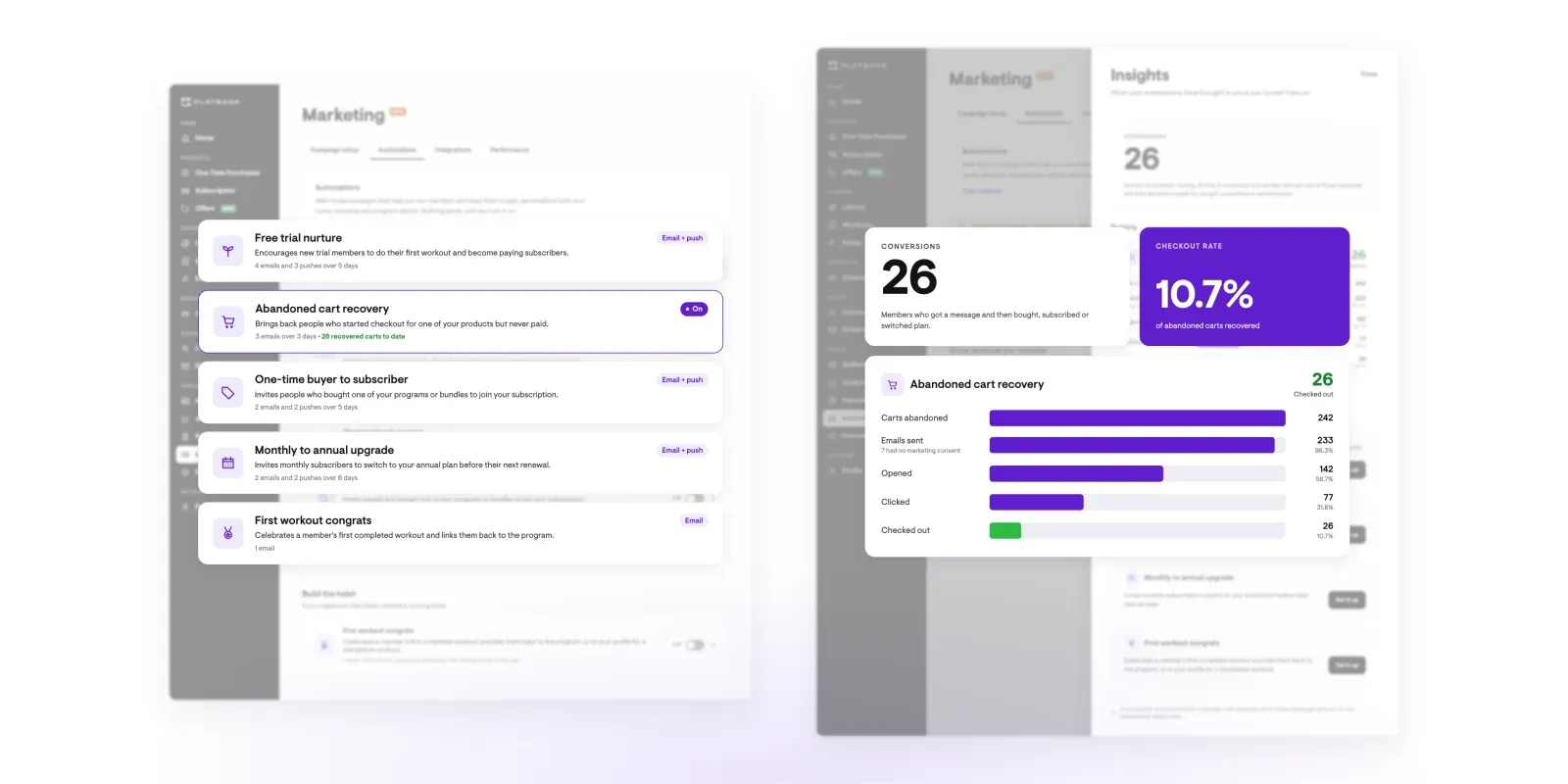
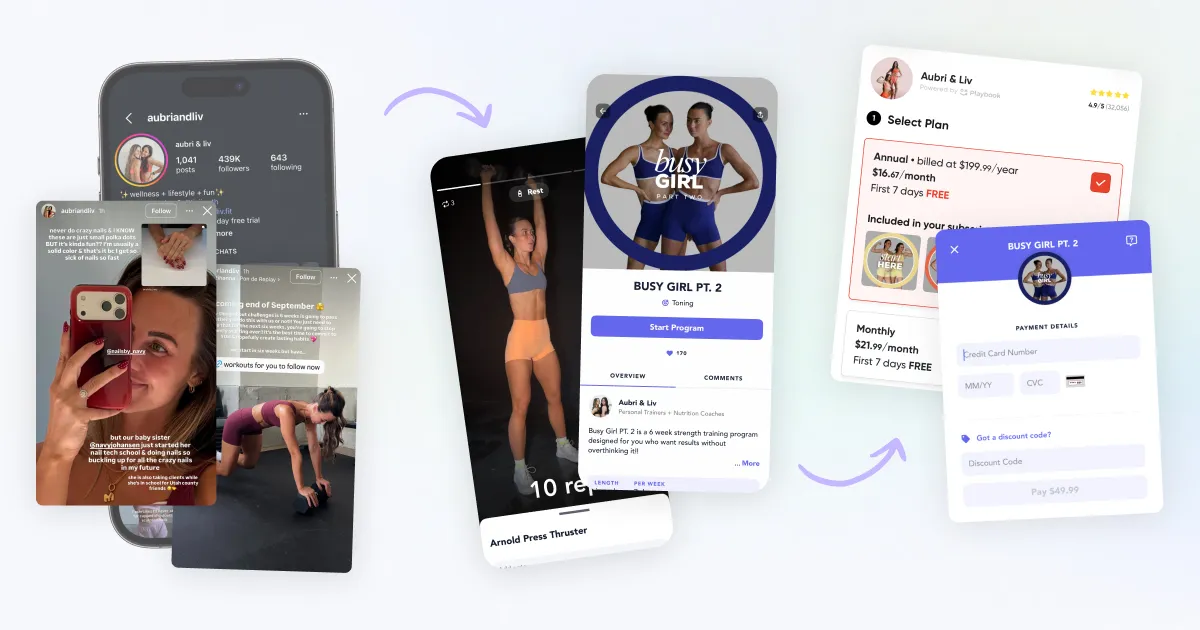
Some sales slip away quietly. Someone reaches checkout and closes the tab, or a free trial ends without a nudge. Automations send the follow-up email or push notification at those moments, so you don’t have to.
There are 5 to switch on:
We write and manage every message, nothing sends until you turn it on, and each automation shows who it reached and converted. In the first few weeks, creators running abandoned cart recovery brought back about 1 in 5 abandoned carts.
Want to see who those carts belong to? The new Abandoned Carts view in your CRM lists everyone who started a checkout and didn’t finish, with a link back to their checkout. You’ll find the automations under Marketing > Automations, and our help center explains how each one works.
Until September, entering a discount code at checkout canceled the free trial. Now any discount code has a Works with Free Trial toggle. Turn it on, and a new member starts free and then pays the discounted price when the trial ends.
Switch the free trial on first, because the toggle won’t create one. And go easy on the discount.
A trial plus a big discount makes for a thin first payment, so keep it modest and save it for short, dated campaigns. The steps are in how to set up promotions.
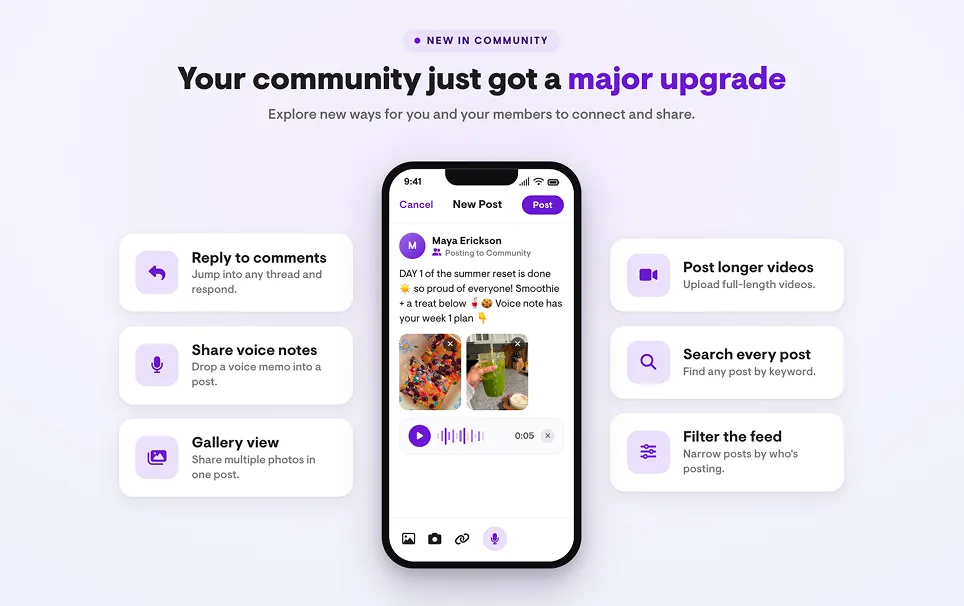
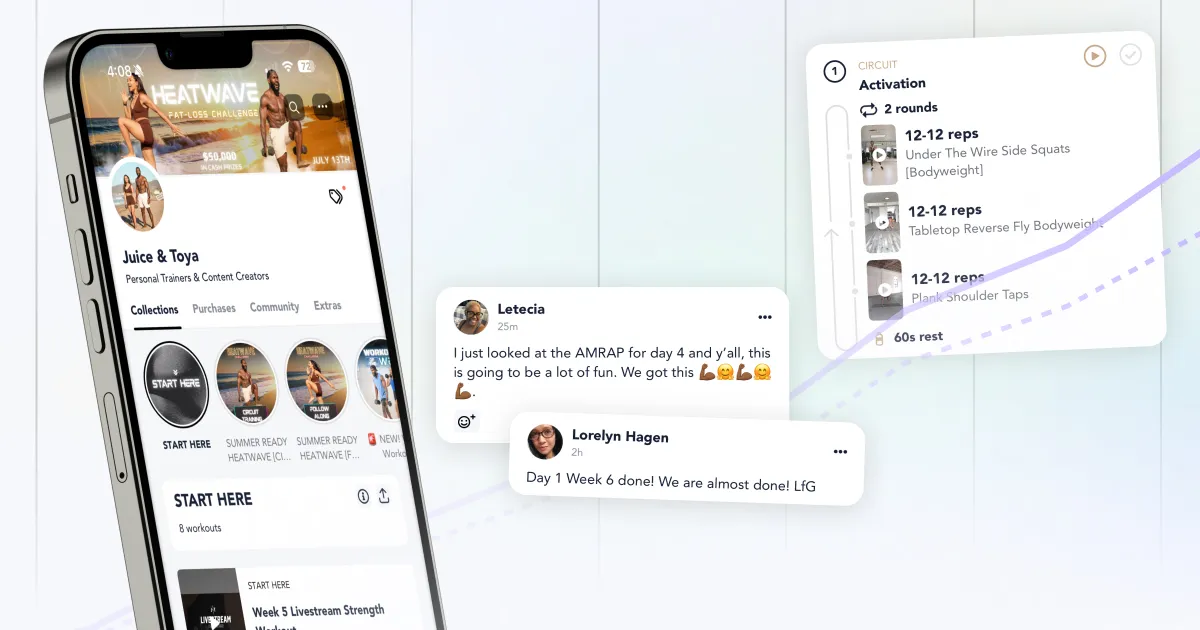
We rebuilt your community so conversations between workouts are easier to start and follow.
You can now:
Voice notes from the car count. So do recipes on a Sunday night. For what to post and when, read how to run a community that keeps subscribers paying.
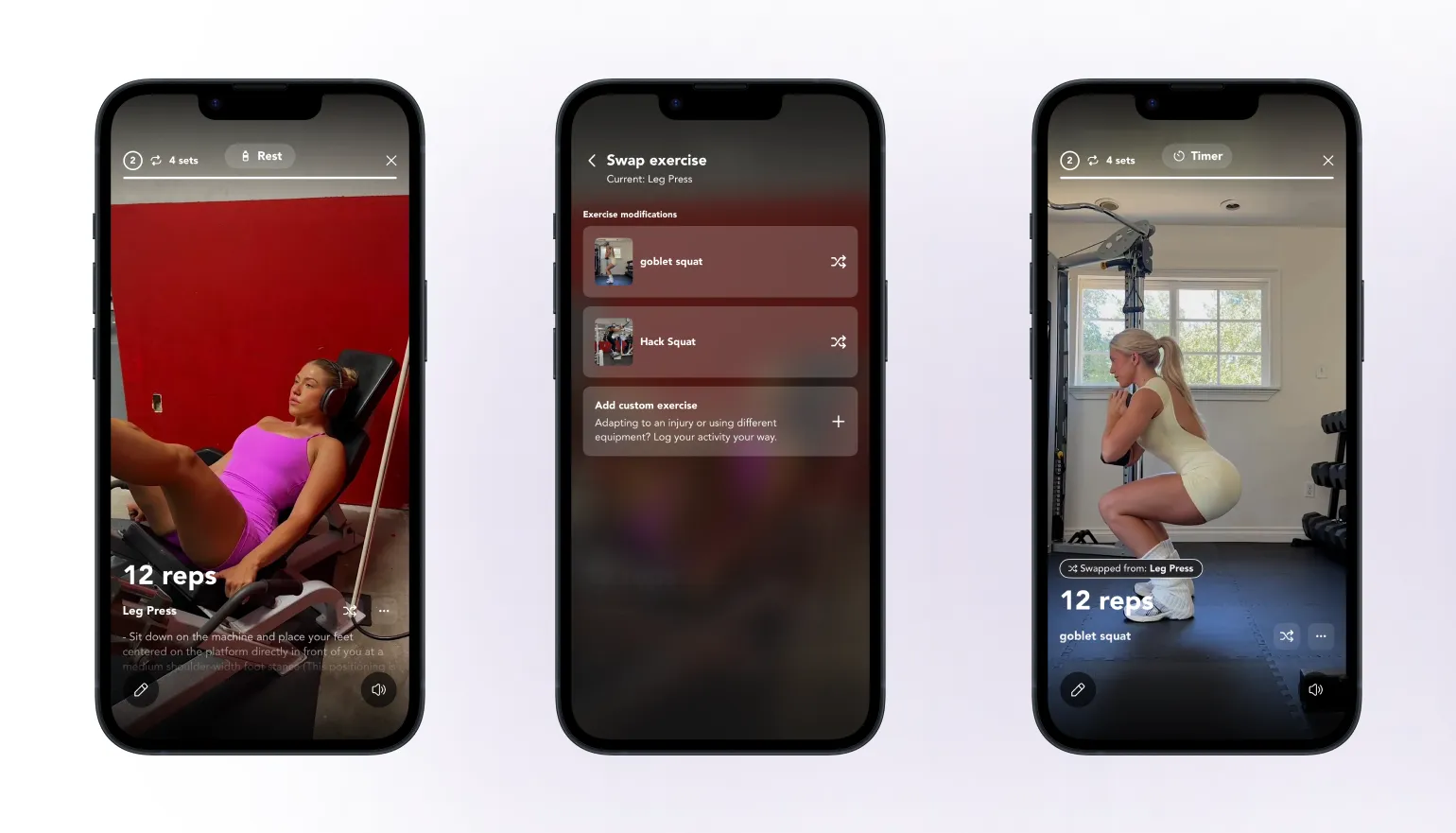
A member gets to the leg press and there’s no leg press. Before, they skipped it or messaged you and waited. Now they tap Swap, pick an alternative, and log what they did.
It works in 4 layers:
Swaps cover most exercises. Warm-ups, mobility, stretching, cardio, Tabata circuits, 1RM tests, and unilateral movements are left out.
Sell separate home and gym versions of the same program? Merge them into one. (It’s also a good excuse to film the alternatives you’ve been meaning to add, since the AI can only pick from your library.)
To set it up, start with how to create exercise modifications.
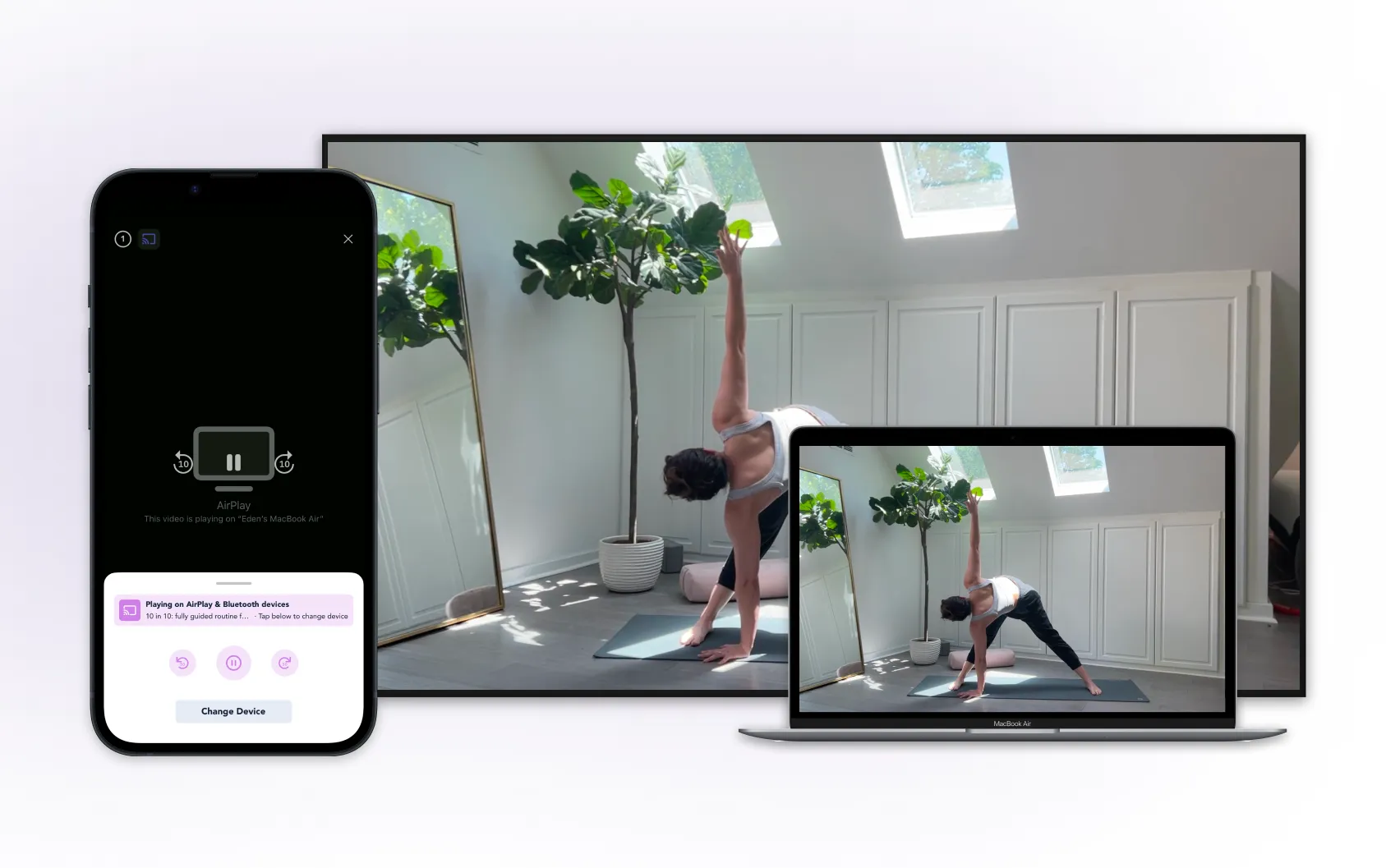
Long-form classes belong on the biggest screen in the room. A Cast button now sits next to Start, so members pick a screen first and press play second, on Apple TV, Chromecast, Fire TV, and more.
Over a month of testing, 50% more members cast long-form classes.
Three things are in development. The dates are targets, and any changes go on the roadmap.
Right now, members leave Playbook to log their food. We’re building food logging, macro tracking, and goal setting into the app, shown on the calendar next to their workouts. Your own nutrition content comes in a later phase, and you’ll get some control over targets and language.
If nutrition isn’t right for your app, there’ll be a way to handle that. Seeing your members’ food logs as a coach is further out, and it isn’t part of the first version.
Your members make enough decisions in a day. Picking a workout from your collections shouldn’t be one of them.
Today’s Workout adds a Today tab to a featured program, like getting the plan from your coach every morning. Members will see:
Scheduling is built in, so you won’t need to date every workout by hand. Achievements and rewards won’t be in the first version.
Our growth team is rebuilding 3 things around the app:
No dates yet on these.
We ship every week, which is faster than any event can cover. Our changelog is where every update lands first, including smaller ones like the new Offers tab and workout builder changes.
You’ll find a What’s new link under Profile in the Playbook web admin and the Creator app. Or see everything we ship, as we ship it, on the Playbook changelog, and check the roadmap for what’s coming.

Start today. Especially if you don’t feel ready. Fear of failure kills fitness businesses before they even start. Sign-up’s quick and easy. You don’t pay a cent till you make a sale.