Monetize
Your best Black Friday yet: 10 lessons for fitness creators

Eden Metzler
How to turn a fitness challenge into a subscription: reuse its workouts, invite the people who bought it, and launch with your next challenge.
If you already sell a fitness challenge, you can turn it into a subscription without starting over. Your challenge workouts become your first program, the people who bought it become your first subscribers, and your next challenge becomes the launch.
That matters if you live on launches. Every challenge brings money in, then it stops until the next one. A subscription keeps paying in between.
You can keep selling the challenge on its own, too. The subscription sits next to it.
A challenge that sells already has the three things a subscription needs: content people paid for, people who paid you, and a group that showed up. The table shows where each one goes.
| From your challenge | In your subscription |
|---|---|
| The challenge workouts | Your first program, plus categories built from the same workouts |
| Your daily schedule | New content on a schedule you can keep, like new workouts every week |
| The challenge group | Your subscription community |
| The people who bought it | Your first subscribers |
| Your challenge date | A challenge a few times a year, inside the subscription |
Rename the challenge after the result it gets people, and make it the first program new subscribers see. Keep the same workouts and the same voice.
Take out the countdown and the deadline language (people can now start it any day).
Copy the challenge workouts into a few categories, sorted the way people pick a workout on a busy day:
That’s more to choose from, with no new filming.
You don’t need a huge library to launch. Build what a new subscriber needs for their first week and their first program, and plan the rest.
Give new subscribers one place to begin. Say who the subscription is for, which program to start with, how to use the app, how to get help, and what’s coming next.
Point them at one workout to do first. In Playbook’s data, new subscribers who finish a workout on their first day or the next are more likely to still be paying months later.
New workouts on a set day are what most subscriptions run on. If you think in six-week blocks, keep them, and release them a week at a time.
Can’t film every week? Add a new program each month, or plan your next challenge each quarter. Whatever you pick, say it in “start here” and keep it.
In Playbook’s data, creators who add new content on a set schedule keep their subscribers better.
The group that showed up during the challenge becomes your subscription community. Same people, same check-ins, and now it doesn’t end. Here’s how to run a community that keeps subscribers paying.
Set up two plans, monthly and annual, with a free trial in front of both. Our guide on how to sell fitness programs online covers the setup, and here’s whether to offer a free trial.
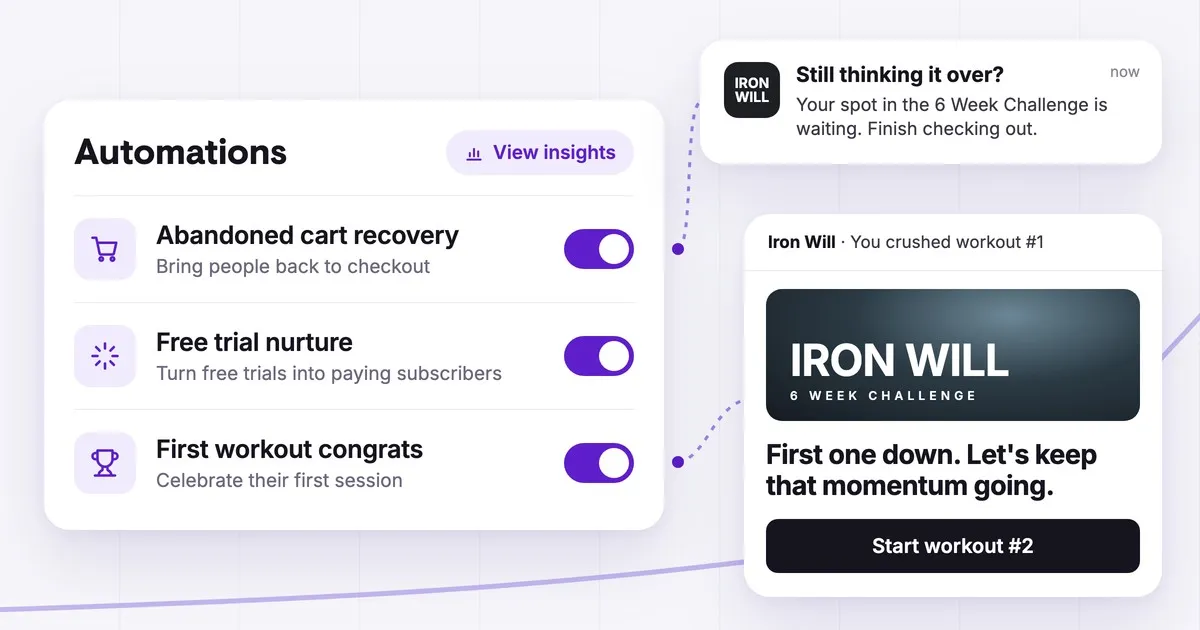
On Playbook, every automation starts off, so switch on the two that matter here:
The people who already bought your challenge are your warmest list. They paid you, did the work, and know how you coach. The automation won’t reach them, so invite them yourself.
Send a personal invitation that covers three things:
Show monthly and annual side by side. In Playbook’s data, the annual plan does more to keep people than a deep discount does.
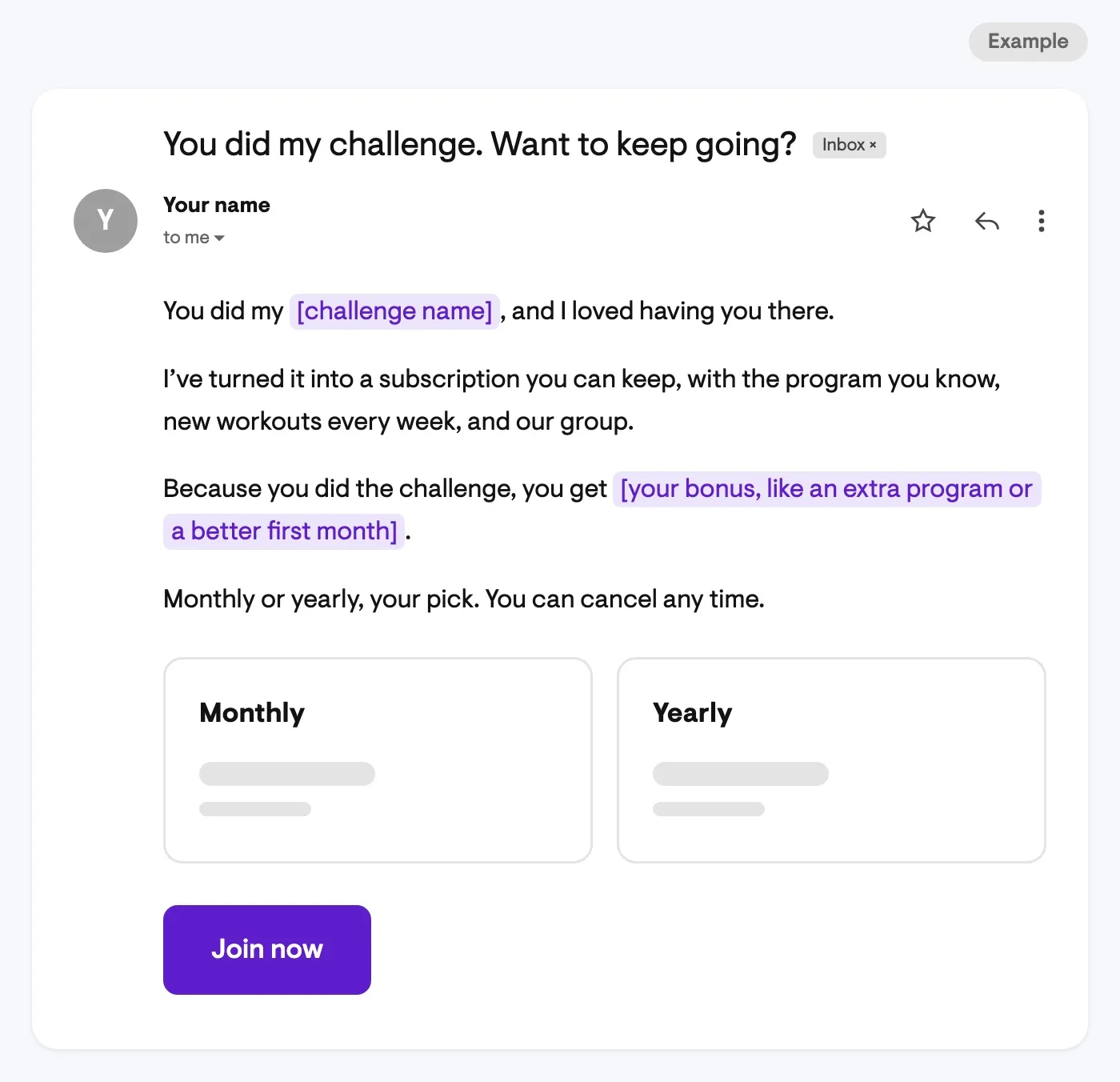
If you’ve sold challenges, you’ve probably asked yourself this. In our experience, past buyers are much more likely to say yes when:
Not everyone will join. And that’s fine. A smaller group who stays is worth more than a bigger list you only hear from at launch time.
Make your next challenge part of the subscription. To join, people start the subscription. When the challenge ends, they’re already subscribers, and the library is right there.
Your original challenge can stay on sale as a one-off program. The next one you run lives inside the subscription.
On Playbook, a challenge is a program in your app, so it can live inside your subscription. Feature it on your sales page so new people see it. Here’s how to set up a challenge on Playbook.
In Playbook’s data, challenge periods bring in more new subscribers, and more returning ones, than a creator’s usual weeks.
Closing sign-ups doesn’t stop people joining your subscription. Anyone who joins after registration closes gets the workouts, but can’t register for the challenge itself.
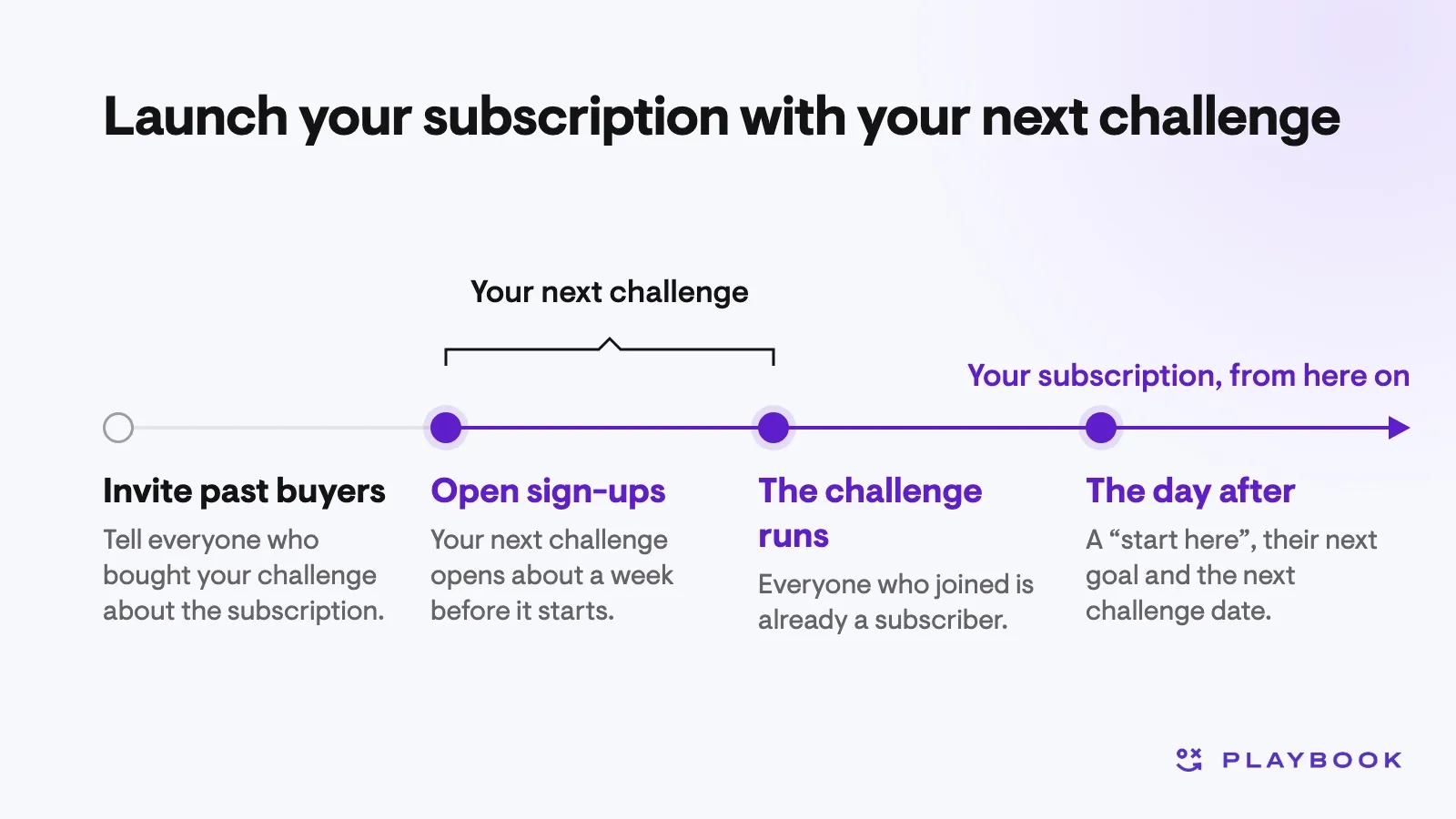
When the challenge ends, give everyone one clear next step, with a “start here”, their next goal and the date of the next challenge. Our guide to lifecycle marketing for fitness creators covers the messages to send in the first weeks.
We recommend three or four challenges a year, about one a quarter, with the dates set a quarter ahead. Each one gives new people a reason to join now, and gives current subscribers a reason to show up.
Give each challenge a short email sequence:
No. If it sells, keep it. Once you turn on the one-time buyer to subscriber automation, it invites each new buyer to join your subscription.
Enough for a new subscriber’s first week and first program. Your challenge workouts cover most of that, and categories built from them fill out the library. Plan the rest.
They’re much more likely to if they can see what’s in it from week one, get a bonus for having done your challenge, and know they can cancel easily. Invite them personally, since the automation only reaches new buyers.
Yes. Run it a few times a year, as the event that brings new people in. Refresh the workouts or the goal, so returning subscribers get something new.
A challenge brings people in. The subscription keeps them because you keep adding to it, with new content on the schedule you set, a community you show up in, and the next challenge on the calendar. That’s ongoing work, and it’s the work that keeps people paying.
If you’d like somewhere to run it, Playbook is an app built for fitness and wellness creators, with challenges and subscriptions in the same place. Playbook also has a team of fitness business experts that helps creators launch and grow. There’s no upfront cost.

Start today. Especially if you don’t feel ready. Fear of failure kills fitness businesses before they even start. Sign-up’s quick and easy. You don’t pay a cent till you make a sale.