Retain
How to run a community that keeps members paying

Eden Metzler
How to build a fitness app your members actually use: make every workout easy to finish, give them a place to connect, and give them a reason to come back.
If you’re working out how to build a fitness app for your members, build it around finishing workouts. Make the next workout obvious, give members a reason to do it with you, and give them a date to come back for. In Playbook’s data, members who finish a workout on their first day or the next are more likely to still be subscribed months later.
Haven’t built your own fitness app yet? Start with how to create a fitness app, then come back here.
The first two weeks decide a lot. In the same data, that’s when most members who leave are lost. An app with every feature still loses people if a new member can’t find a first workout.
So build three things, in this order:
A PDF gets opened once. It has no next week, no record of what a member did, and no you in it.
Members pay for you. They want your method, your voice, and other people doing the same workouts. A fitness app puts all of that in one place, with the next workout waiting every time they open it.
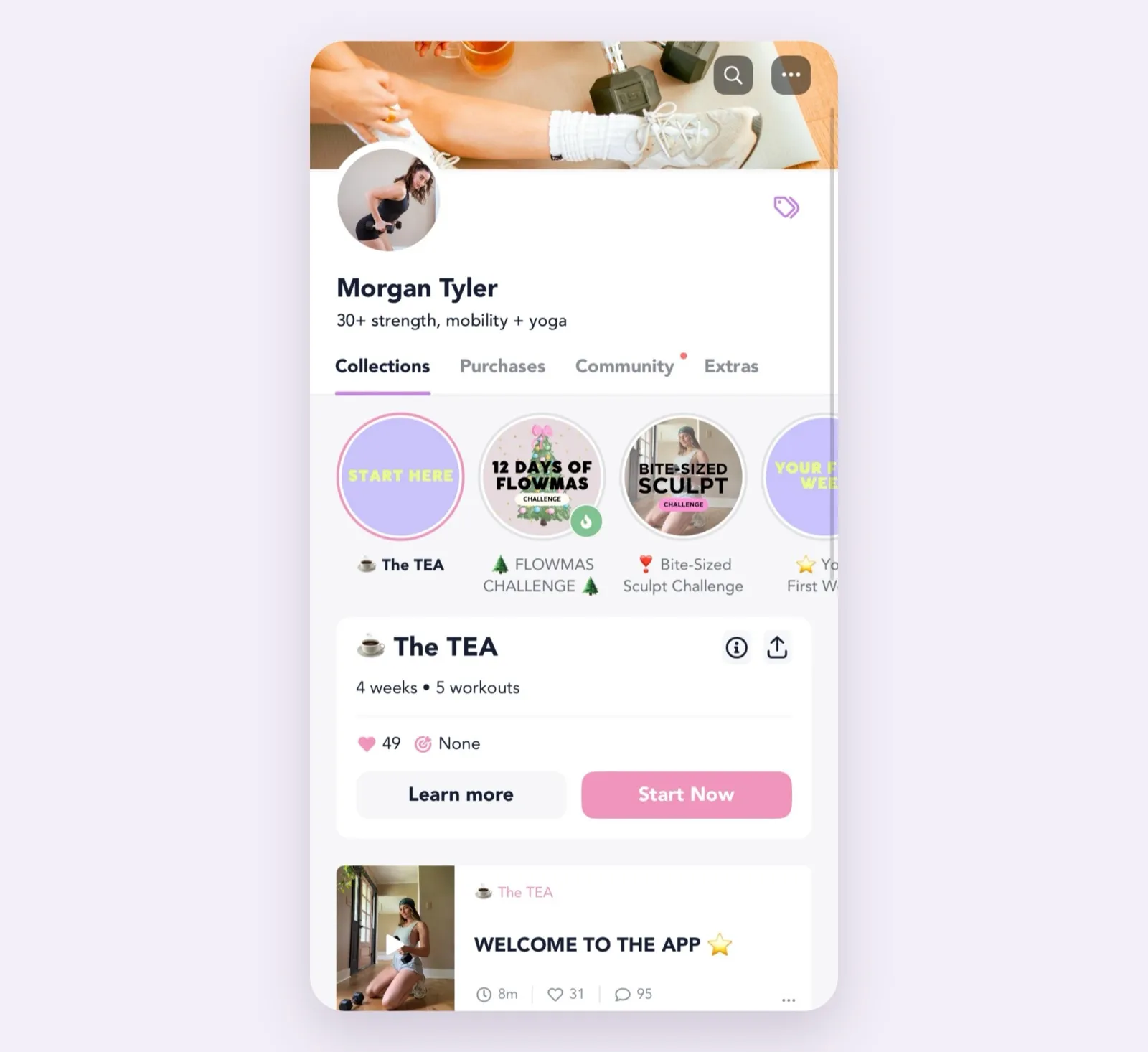
A new member should know where to start and finish a first workout on day one. Put a Start Here section at the top of your app. It covers:
Then point new members to one first workout, and one next step after it. “Where do I start?” is one of the questions creators hear most from new members, and this answers it before anyone has to ask. That first finished workout is the one Playbook’s data ties to members staying.
On Playbook, you set this up as a Start Here category, with short videos on what your app offers and where to begin.
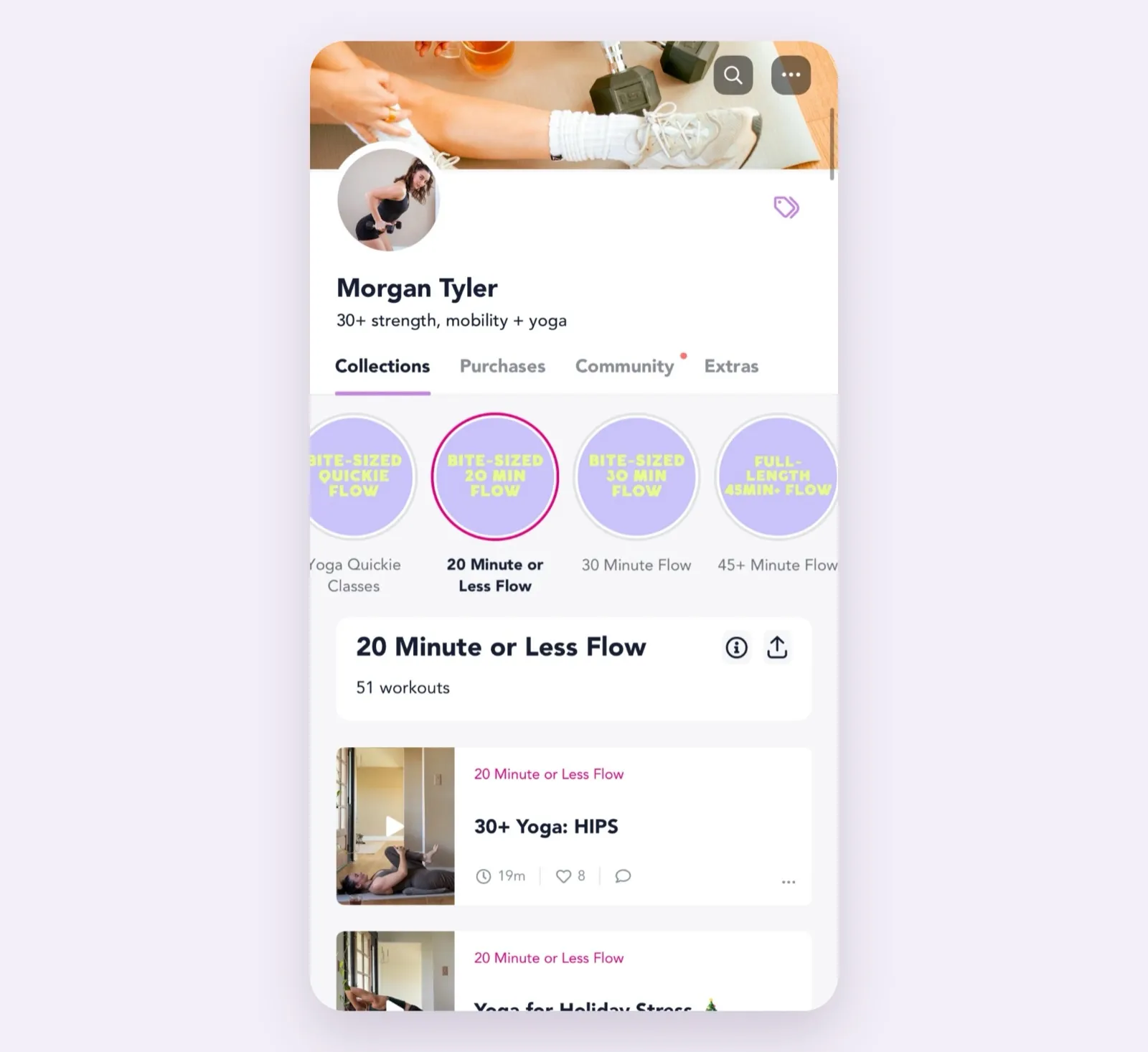
Sort your workouts by the time, equipment, and goal a member has today. Use two kinds of content side by side:
You don’t need to film more to fill your categories. Reuse your program workouts inside them, so the library grows from what you already have.
Keep the order the same every time a member opens the app: Start Here first, this week’s workouts second, and everything else after. When you archive or move a program, tell members where it went. A member halfway through a program who can’t find it will message you in a panic. In Playbook’s data, a bigger library doesn’t make members leave. Members get lost in a messy one, so organize your library instead of cutting it.
On Playbook, programs run weekly, daily, or as a series, and weekly programs get week and day labels. Categories group one-off workouts with tags and an intro video.
A member should know what a workout is before they start it. Say in the title or description whether it’s follow-along or self-paced, since members ask for follow-along by name. Keep the length honest, too. A “20-minute” workout that runs 35 minutes costs you trust.
After the workout, let members see what they did. Logging sets, reps, time, and notes turns a list of workouts into progress they can see.
On Playbook, members can follow a long-form class or a short-form workout with timers, and log their workouts with a history they can look back on.
Members skip workouts that don’t fit the equipment, space, or body they have today. Give them ways to adapt:
Playbook has all three. With Exercise Modifications, a member can tap the swap icon during a short-form workout and see up to three modifications taken from your own library. You can set the exact modification for an exercise yourself, and members can add their own.
Casting sends long-form classes to Apple TV, Chromecast, or Fire TV. Members can also download a workout to do offline.
A community is where members get you between workouts, and it’s what makes the app yours. Playbook’s own figures back this up. Active communities on Playbook earn about 72% more revenue per subscriber than quiet ones, and subscribers who engage regularly are about 35% less likely to cancel than silent ones.
Most members will still do the workout and leave, and that’s normal. Don’t make community a requirement. Make it the easy thing to do right after a workout, and lead it yourself, because an online fitness community stays quiet until the creator posts first.
Your community needs you to post first, on a rhythm you can keep. Start with a pinned welcome post that tells new members what to do: open Start Here, do the first workout, and say hi.
Then keep a simple weekly rhythm:
Our guide to running a community has the full version.
On Playbook, the in-app community takes posts with photos, video, and audio, plus comments, reactions, and up to five pinned posts.
A live session lets members do the workout at the same moment you do, and members ask for exactly that. Go live at least once a month, even if only a few people come. Start with one a month before you promise one a week.
When the session ends, the recording is saved to your library, so you can decide whether to add it to your app for the members who missed it. Live streaming fitness classes this way gives you a new workout and a live moment from the same hour.
On Playbook, you can livestream from the creator app on iPhone or from your computer using OBS. Members get a push notification when you go live and can comment while you’re on. You turn livestreaming on in your feature settings.
Ratings tell you which workouts land and what to film next. Read them once a week, and let them shape your next drop.
On Playbook, members rate a workout with stars when they finish it and can leave written feedback. You’ll find it in the creator app under Social, then Feedback.
DMs are the private way for members to reach you. Tell them how quickly you reply, and pick a time you can keep.
When the same question comes up in DMs more than once, answer it in the community too. Many members message privately instead of posting, so a public answer reaches the quiet ones who never asked.
On Playbook, members message you through in-app messaging, with text, photos, and video.
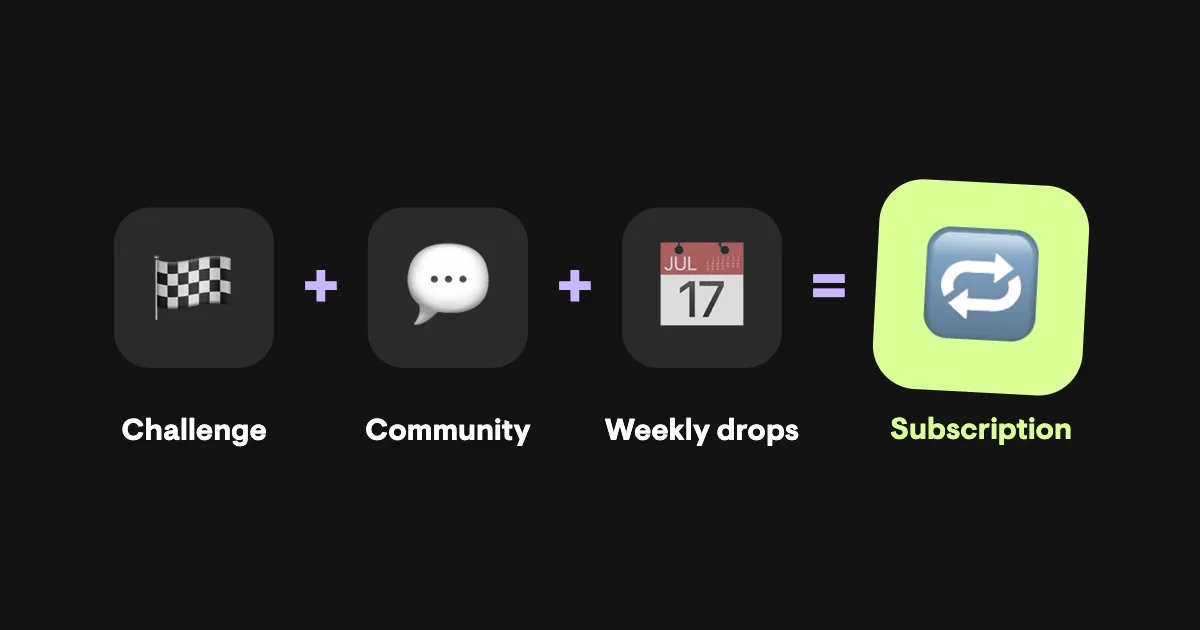
Members come back for something new or something with a date on it. Give them both, with new workouts on the same day every week and a challenge every quarter. A streak gives them a reason to keep going in between.
In Playbook’s data, challenge periods bring back more members than a creator’s usual weeks.
Pick a drop day, put it in Start Here, and don’t miss it. The drop is the cue that brings members back each week. The workout is the routine, and the progress they log is the reward.
Choose a schedule you can keep. Releasing a six-week program one week at a time counts. Creators on our calls say that without anything new, members get bored and drift off.
In Playbook’s data, creators who publish new workouts most weeks keep more of their members. For more on running a weekly drop, read how to sell fitness programs online.
On Playbook, members get a push notification when you publish a workout, and you can write that message yourself.
Set your challenge dates a quarter ahead, so your app, your posts, and your emails all point at the same day. Run the challenge inside your subscription. That makes it a reason for new people to join now and for current members to recommit.
Open sign-ups shortly before it starts. If you’ve sold a challenge on its own before, here’s how to turn a fitness challenge into a subscription.
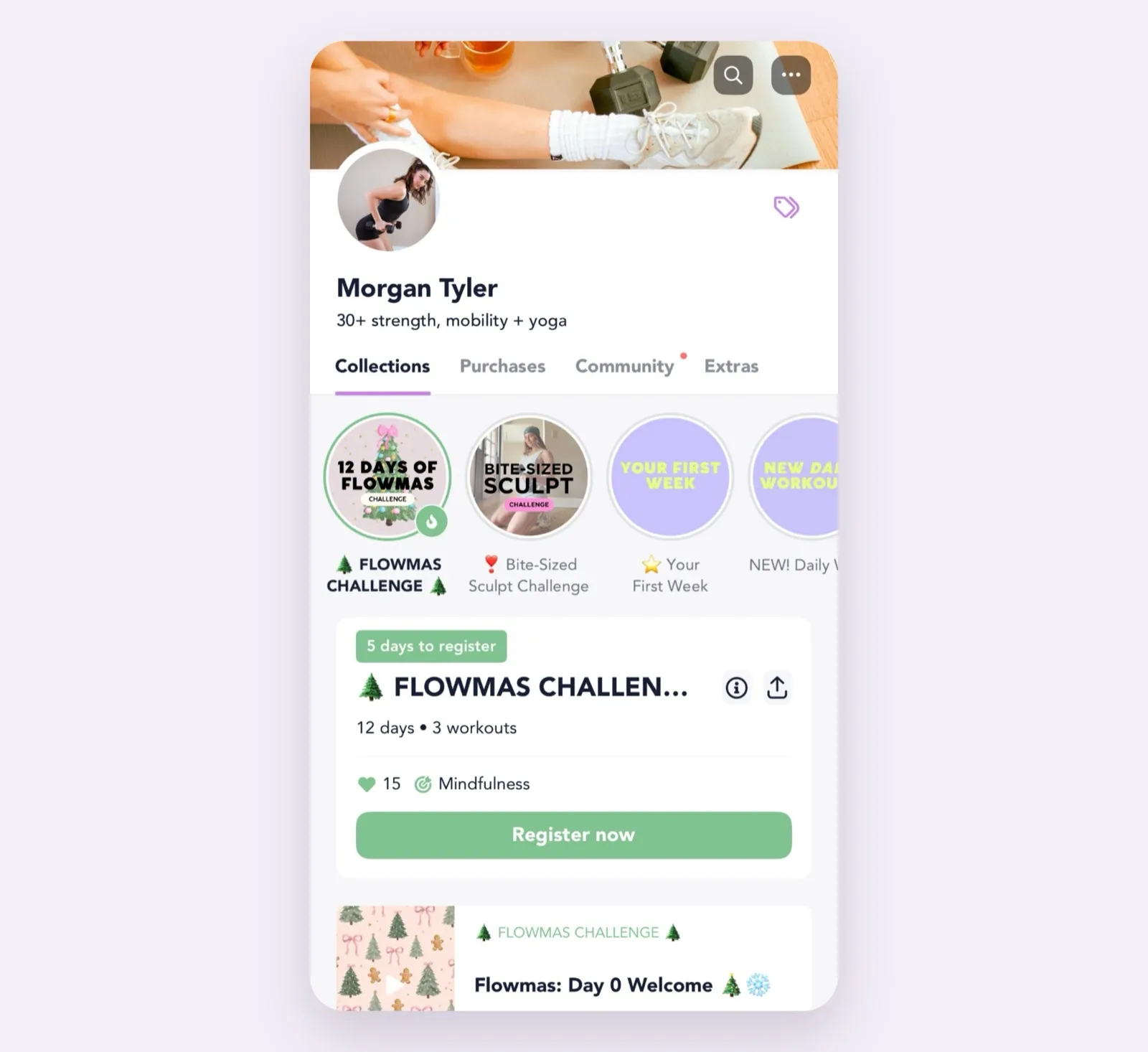
Members should see at a glance whether sign-ups are open, the challenge is running, or it’s time for after photos. Playbook labels the challenge for them as it moves along, from the days left to register to In Progress to the time left for after photos. Keep it easy to find. While a challenge is on, put it second in your app, right after Start Here, and archive it when it ends.
A few short videos answer the questions that stop members from finishing:
Add a check-in halfway through. Plenty of members sign up and then drift, and a midpoint check-in gives them a reason to pick it back up.
On Playbook, a challenge has a registration window and a completion window, with before and after photos and pose guides. Each member sets their own goal when they sign up, and you can review every entry when it ends.
Streaks give members a small reward between drops and challenges. One workout a week keeps a streak going. When someone hits a long one, call it out in your community.
On Playbook, a streak counts the weeks in a row a member finishes at least one workout, and members see their current and highest streak in their profile.
Once a month, open your fitness app as if you’d joined that morning, and check that each of these questions has a clear answer:
| A new member asks | Where the answer lives |
|---|---|
| Where do I start? | Start Here |
| What do I follow? | A program with a clear next step |
| What if my day changes? | Categories and exercise modifications |
| How do I get help? | Your community, a live session, and DMs |
| What comes next? | Your drop day and the next challenge date |
Fix the first gap you find. Then keep three habits:
The emails that support this, like congratulating a first workout and winning back members who left, are in our guide to lifecycle marketing for fitness creators.
Yes. On a platform built for fitness creators, the app already exists and you fill it with your content. On Playbook, members get your workouts, programs, categories, and challenges in the Playbook app on iOS and Android, so your time goes into the workouts and the community.
Start with the fitness app features that help members finish a workout: a Start Here section, an organized library, exercise modifications, casting, and downloads. Then add the ones that bring them back, which are a community, live sessions, ratings, DMs, challenges, and streaks.
In Playbook’s data, most members who leave do it in their first two weeks. Members who finish a workout on their first day or the next are more likely to still be subscribed months later, so make that first workout easy to find.
Most weeks, on the same day. In Playbook’s data, creators who publish new workouts most weeks keep more of their members, and releasing a six-week program one week at a time counts.
Every creator on Playbook gets the community, with group coaching calls, courses, and templates, and Playbook also has a team of fitness business experts that helps creators launch and grow. You sell your workouts and programs in an app with the features above, and it’s free to start, with Playbook earning 20% only when you do. The subscription keeps paying because you keep adding to it and showing up.
Start today. Especially if you don’t feel ready. Fear of failure kills fitness businesses before they even start. Sign-up’s quick and easy. You don’t pay a cent till you make a sale.